Install Swisscom Box & set up Swisscom blue TV app
Install your Swisscom TV Box and set up the Swisscom blue TV app. We will show you how to do this with step-by-step instructions.
Install TV-Box
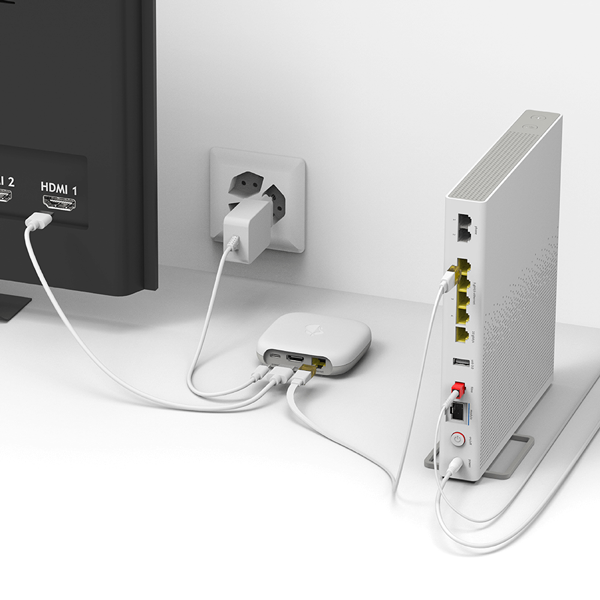
In this guide, we explain step by step how to install your Swisscom TV-Box, connect it to the WLAN and put it into operation.
1. Connect TV-Box
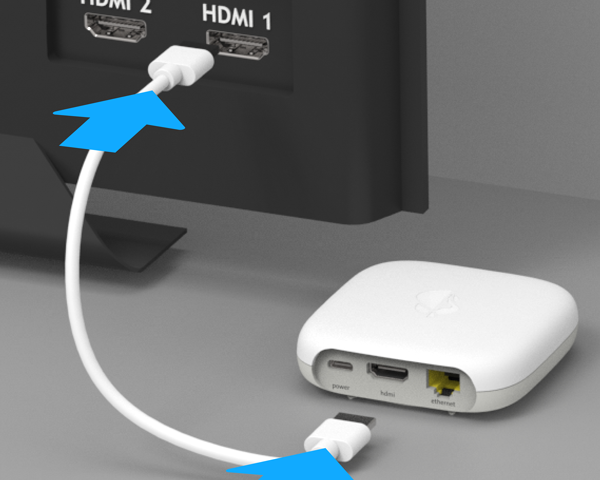
Connect the TV-Box to the television. Important: only use the supplied HDMI cable for this.
2. Set up remote control
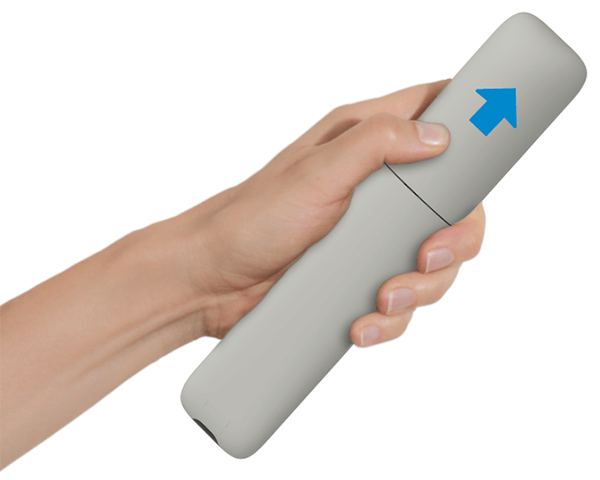
Insert the batteries in your Swisscom TV remote control.
3. Connect to the power supply
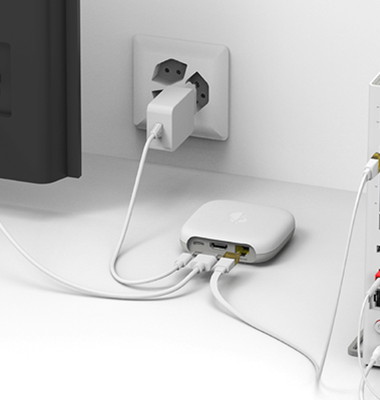
Connect the TV-Box to the socket using the power cable.
4. Connect to the Internet
Connect your TV box to the router with an Ethernet cable. This is the most reliable connection method.
5. Switch on the TV
- Switch on your TV.
- Use the TV remote control (not the Swisscom TV remote control) to select the correct HDMI channel.
PDF instructions
Set up the blue TV app
Install the blue TV app(opens in new tab) on your TV, a third-party provider box or a smartphone. You can also watch blue TV through your web browser, with no installation needed.
On Apple TV 4K and smart TV
- Search the apps for the blue TV app.
- Open the blue TV app.
- Follow the instructions on the device.
With a third-party provider box
- Go to the apps section.
- Open the blue TV app.
- Register and choose the package you want to subscribe to directly in the app.
If the blue TV app is missing from your third-party provider box, please contact your provider.
On smartphones & tablets
Download the app on your smartphone or tablet and follow the instructions.
FAQs
On how many devices can I use blue TV at the same time?
There are different device limits depending on the subscription.
How do I connect the Swisscom TV-Box to the WLAN?
If the router and TV-Box are in the same room, press the Plus button (+) on the Internet-Box and then press the WPS function on your TV-Box within 2 minutes. The devices will connect automatically.
What does it mean when my TV-Box flashes red?
A red flashing light usually means that the TV-Box cannot connect to the Internet. Check whether the Ethernet cable is plugged in correctly or repeat the Wi-Fi pairing process. Restarting the router can also help.
Can I install the blue TV myself and how long does it take?
Yes, setting it up is very easy and can be done in just a few minutes.
With which subscriptions can I use blue TV?
Choose your support option

Chat with Swisscom
The digital assistant Sam helps you with questions about your Swisscom products.
Arrange a callback
Choose a time slot and get support from a specialist over the phone.




