Add your e-mail address: Q & A
You have received an SMS, a letter or a note on your bill from Swisscom requesting that you add your e-mail address to your contract. Here is some additional information.
We are asking all customers to add their e-mail address to their data. We want to ensure that you receive important personal information about your contract quickly and easily in the future.
This is not spam or a phishing attempt; it is a Swisscom initiative.
Frequently asked questions
Why is Swisscom asking for your e-mail address?
We need your e-mail address to ensure that you continue to receive important personal communication and information from us about your contract quickly and easily in the future. Help us keep your details up to date by adding your e-mail address.
Who are we asking to add their e-mail address?
We are writing to all customers who have not yet added an e-mail address to their contract.
I received an SMS with a link. How do I add my e-mail address?
You can add your e-mail address in just a few steps. How it works:
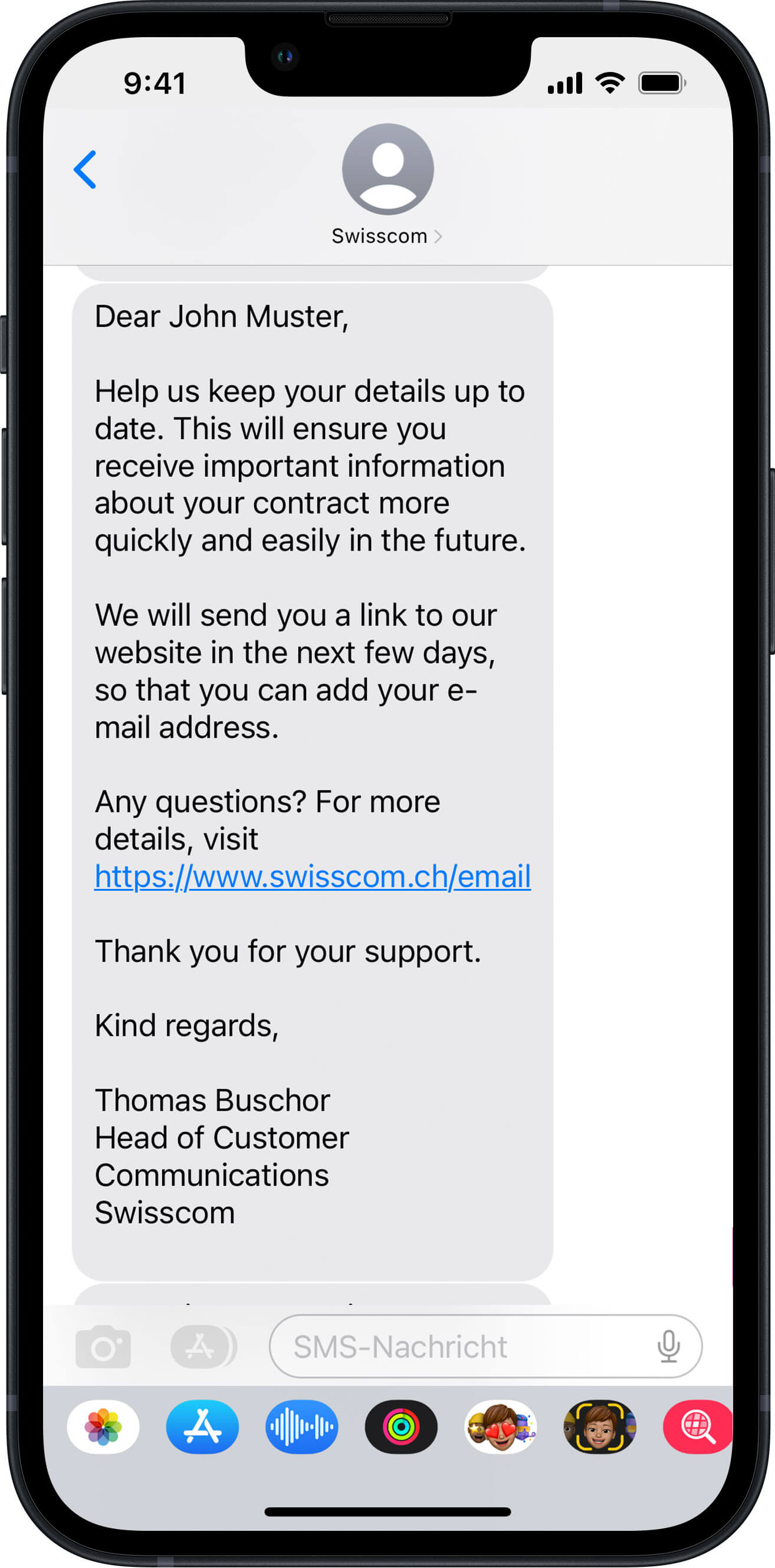
1. You receive an SMS telling you that we will shortly request you to add your e-mail address to your contract.
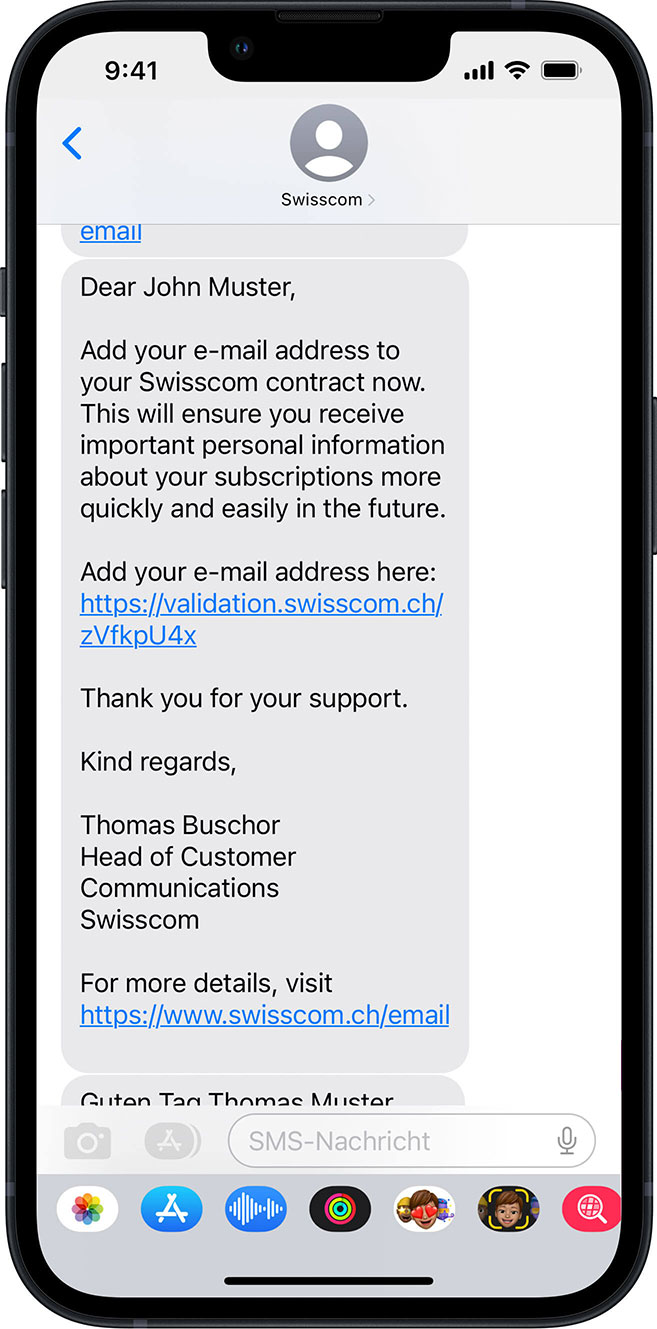
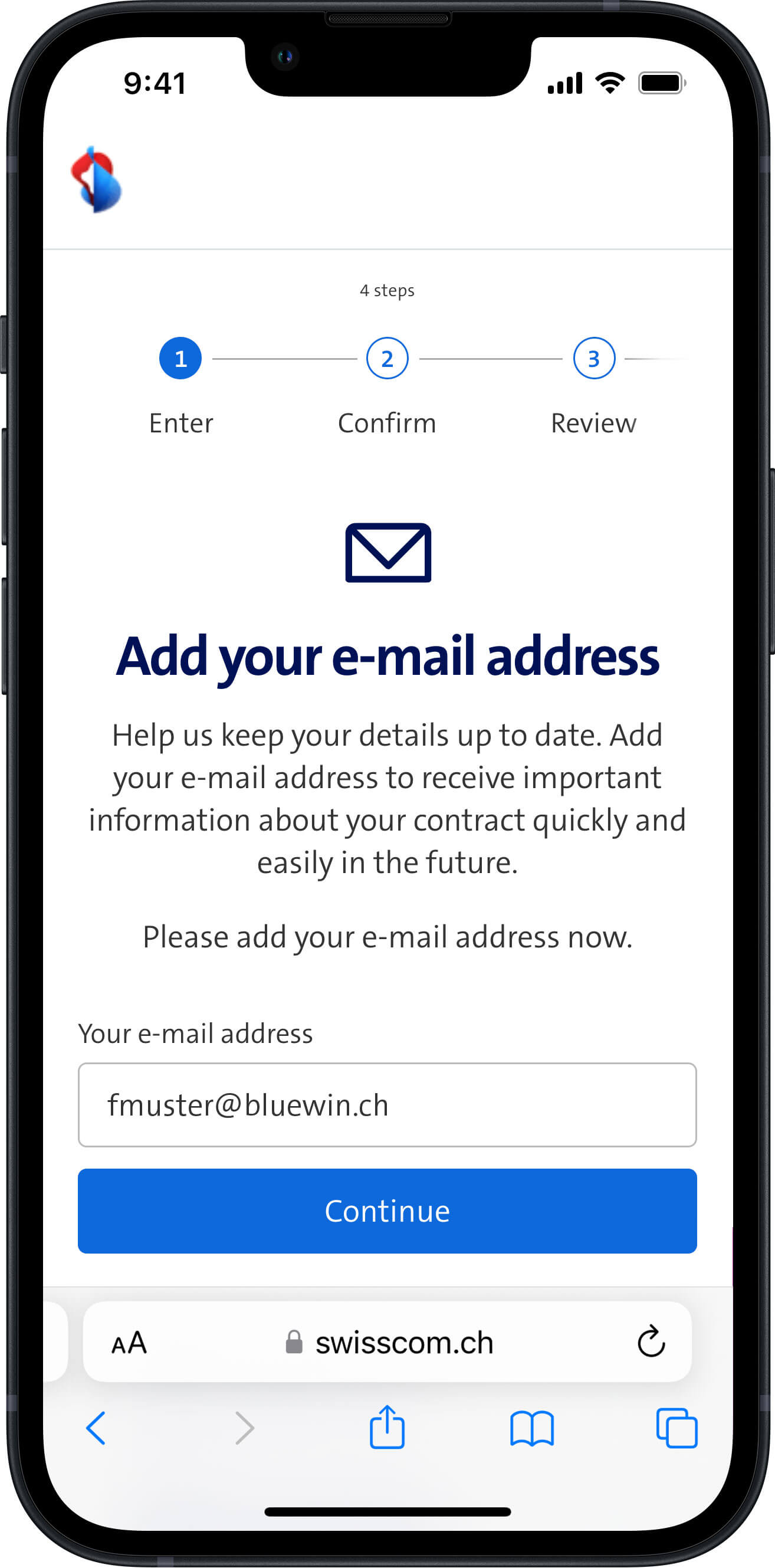
2. You receive an SMS with a link to a personal Swisscom webpage where you can add your e-mail address.
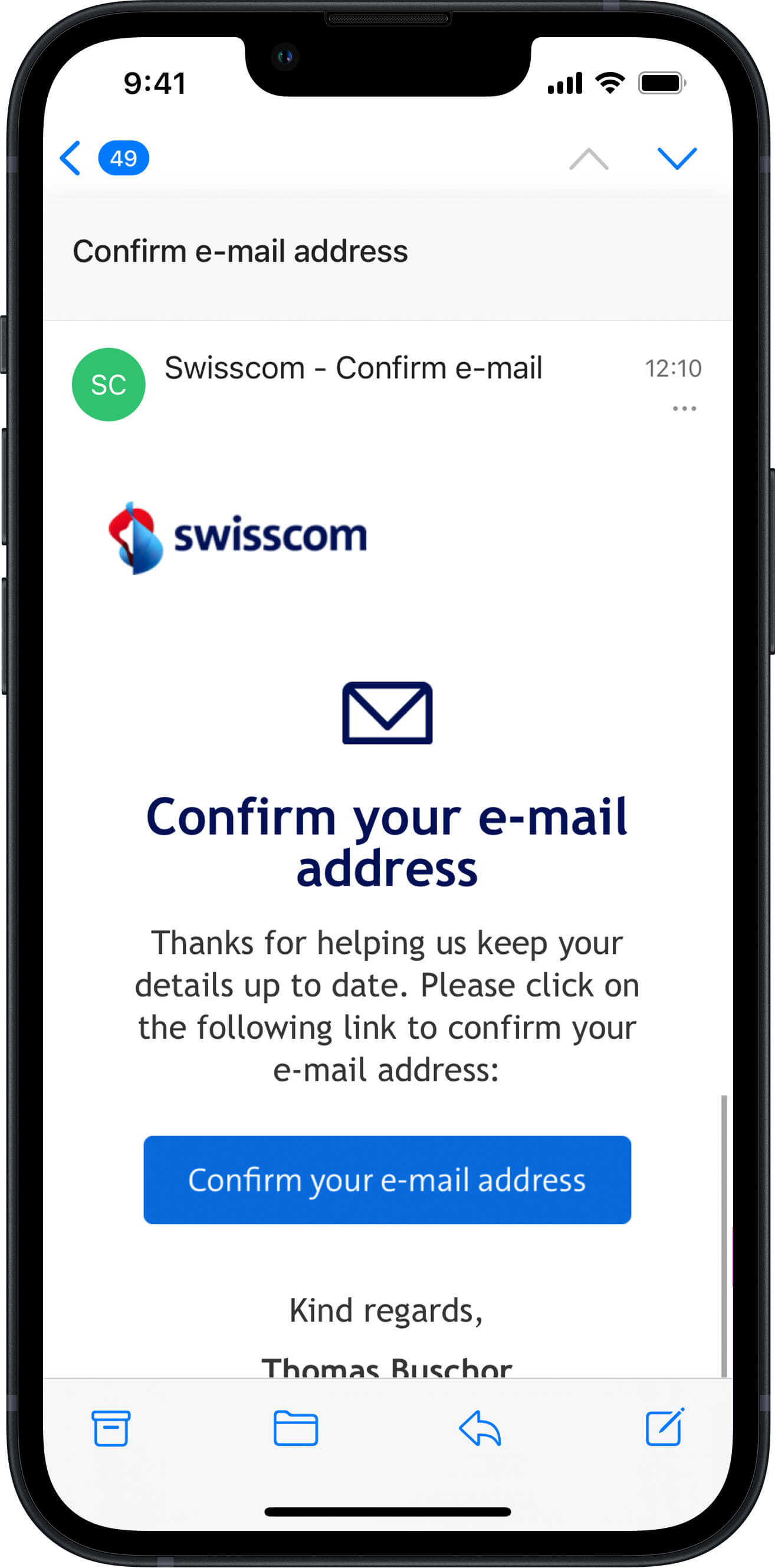
3. After you have added your e-mail address, you will receive an e-mail to the address you entered. To confirm that your address is correct, please click the confirmation link in the e-mail.
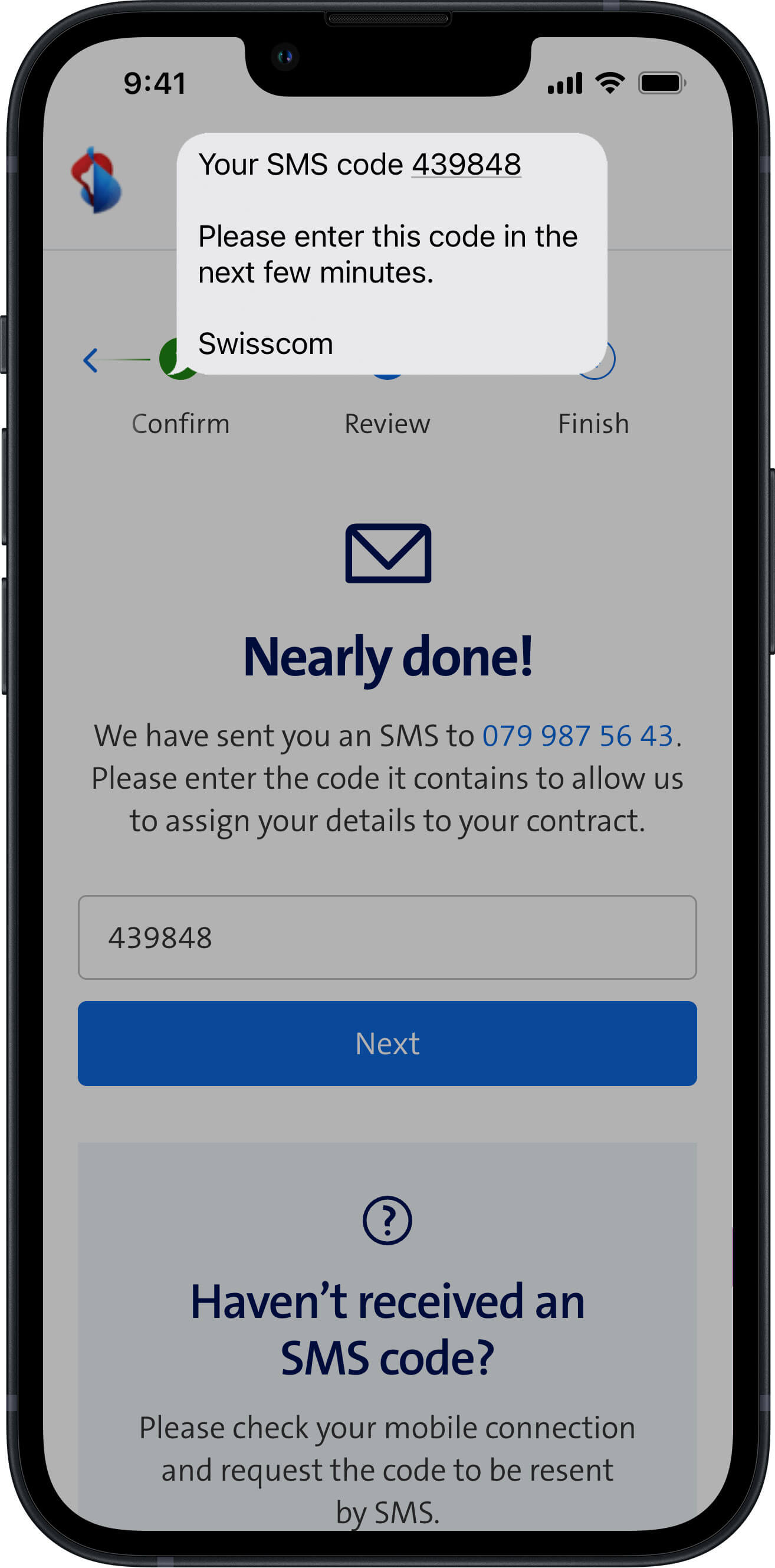
4. To make certain that we now have the correct personal e-mail address, we will send an SMS code to your mobile phone. Please enter this code on the webpage.
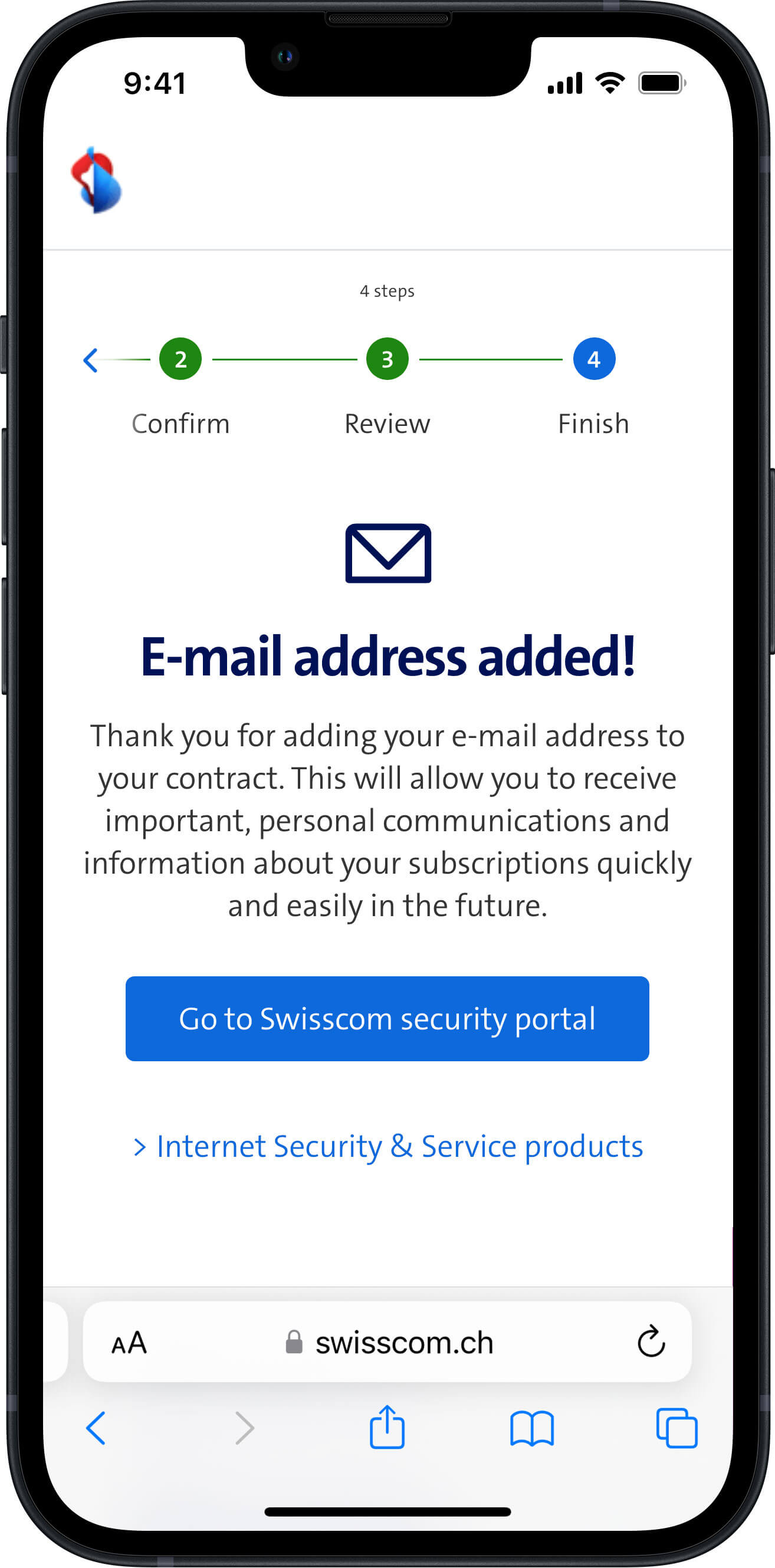
5. The process of adding and confirming that we have the correct e-mail address for you is now complete. Thank you for your support.
I received a letter with a QR code. How do I add my e-mail address?
You can add your e-mail address in just a few steps. How it works:
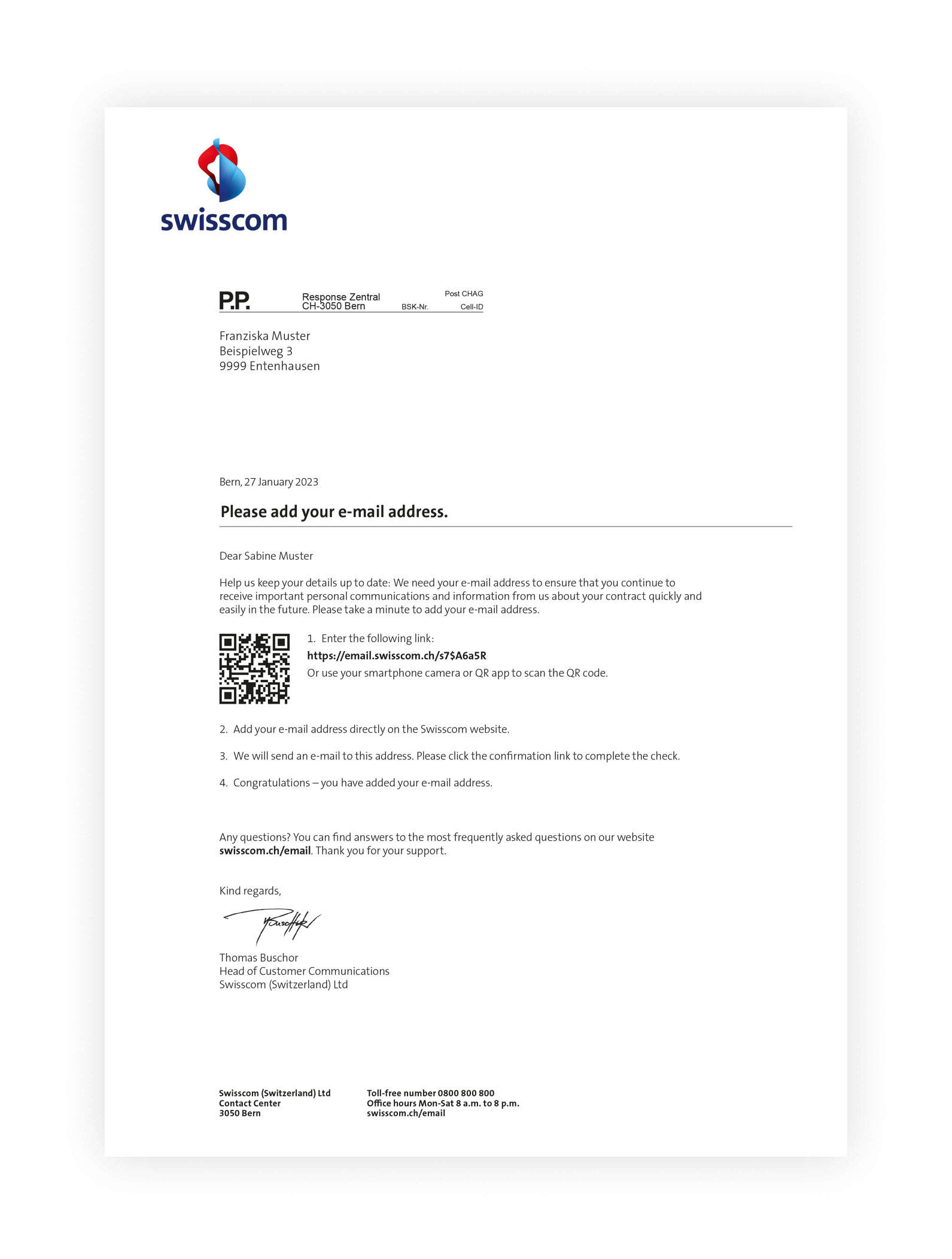
1. You receive a letter with a QR code or a link to a personal webpage where you can add your e-mail address.
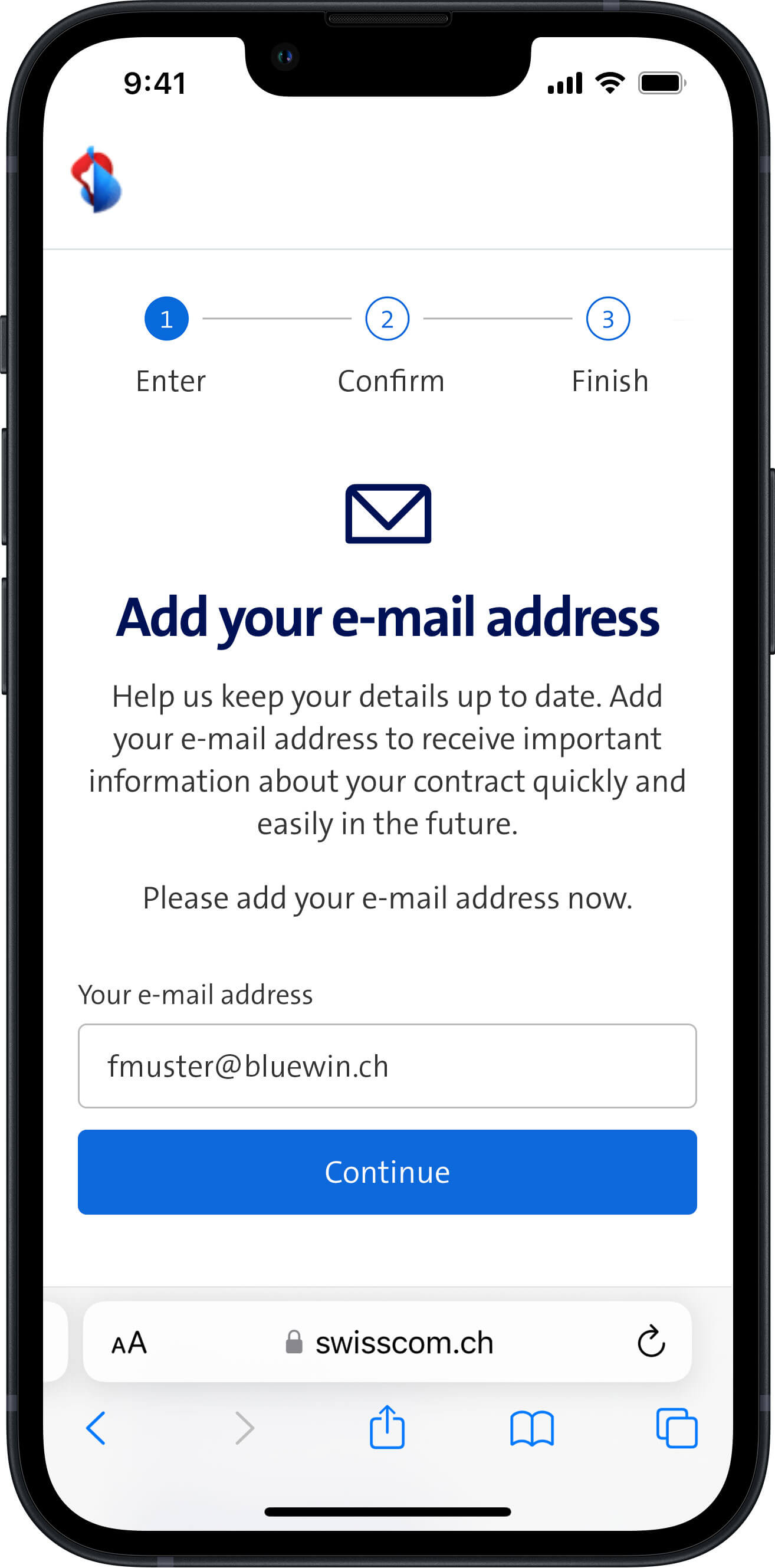
2. Use your smartphone camera or QR app to scan the QR code and open the link to the Swisscom webpage. Alternatively, you can also type the Internet address into your browser.
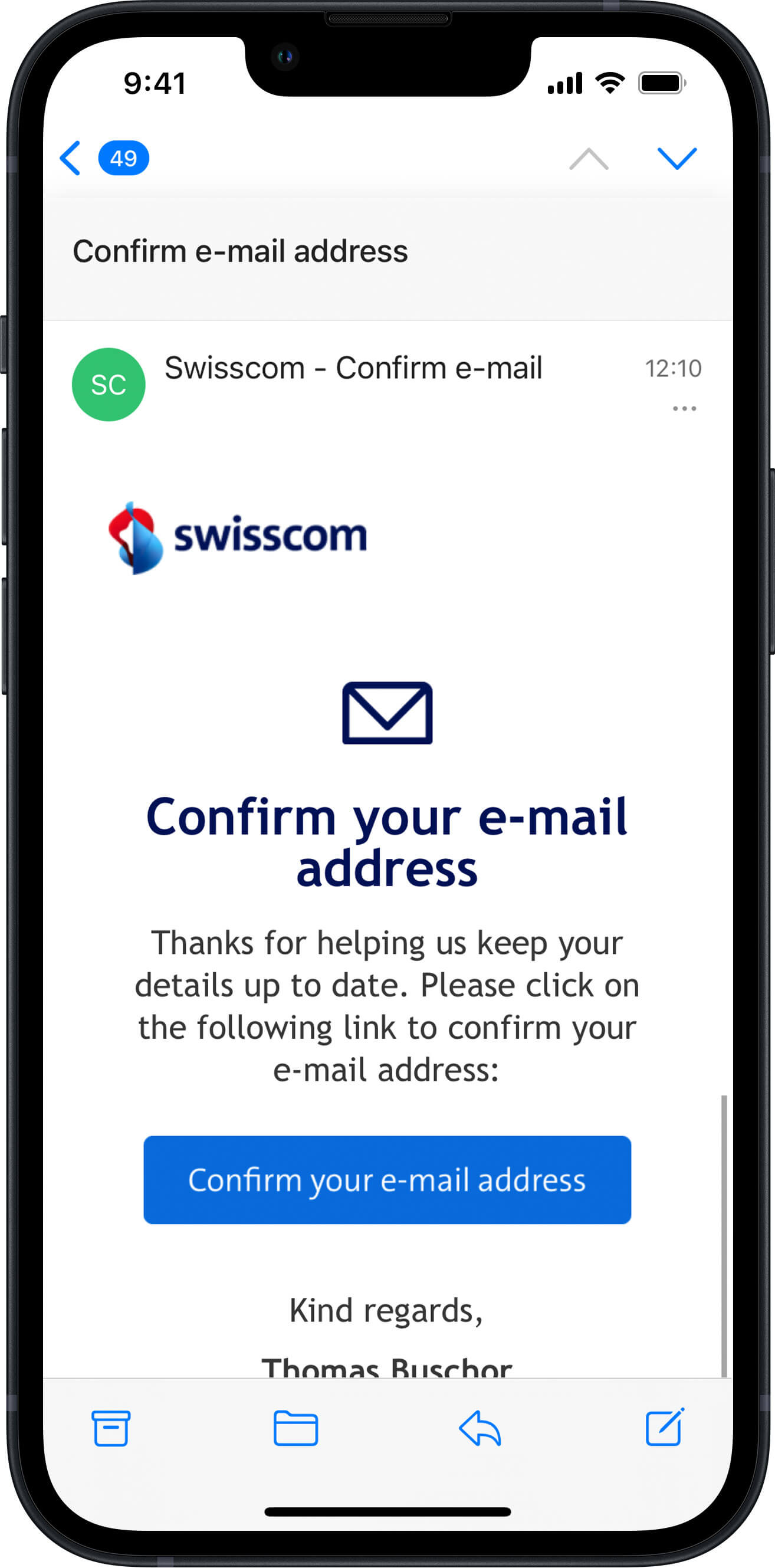
3. After you have added your e-mail address, you will receive an e-mail to the address you entered. To confirm that your address is correct, please click the confirmation link in the e-mail.
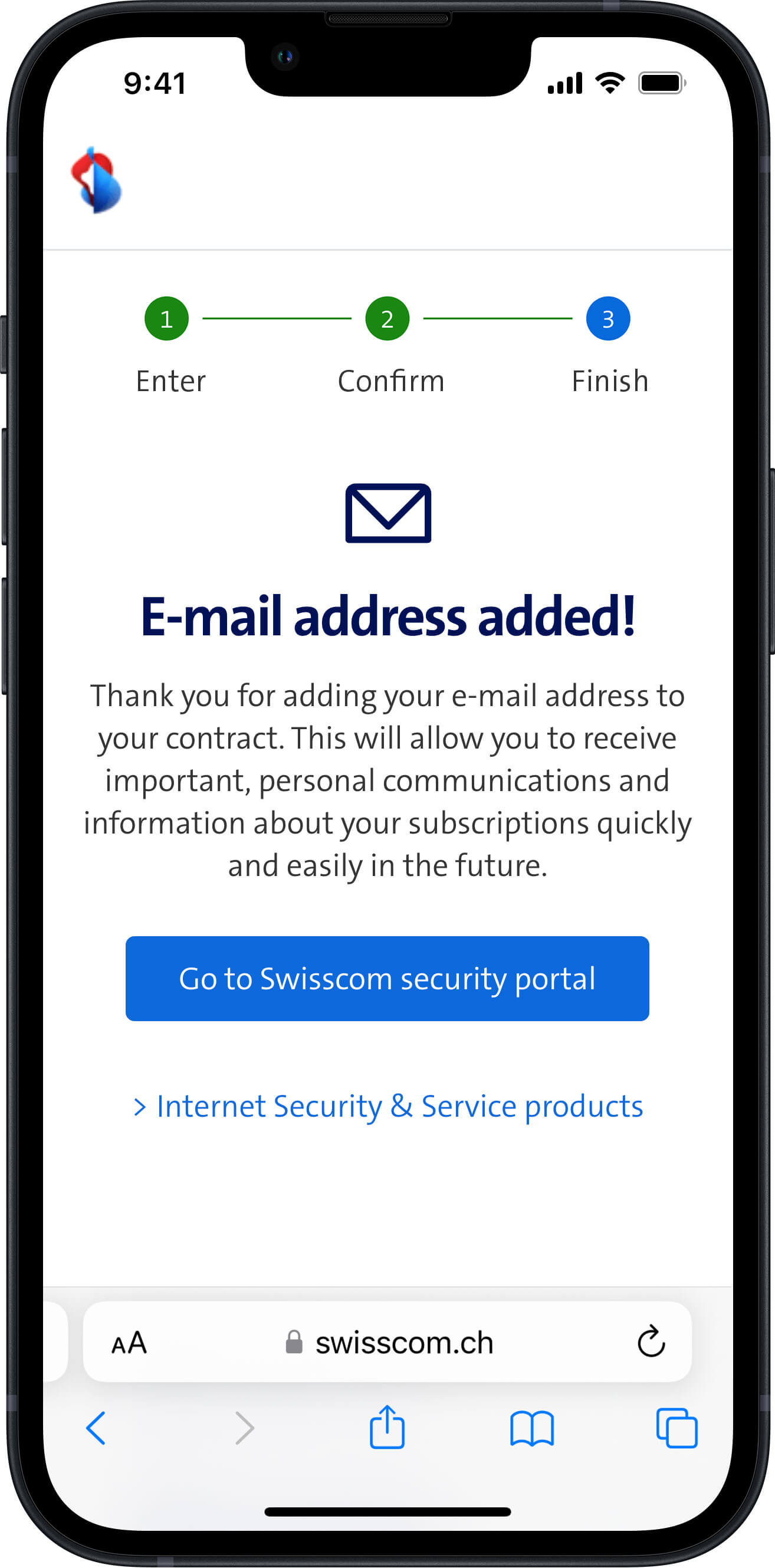
4. The process of adding and confirming that we have the correct e-mail address for you is now complete. Thank you for your support.
I received a note with a QR code on my bill. How do I add my e-mail address?
You can add your e-mail address in just a few steps in My Swisscom (Customer Center). How it works:
Go to My Swisscom(opens in new tab)(opens in new tab)
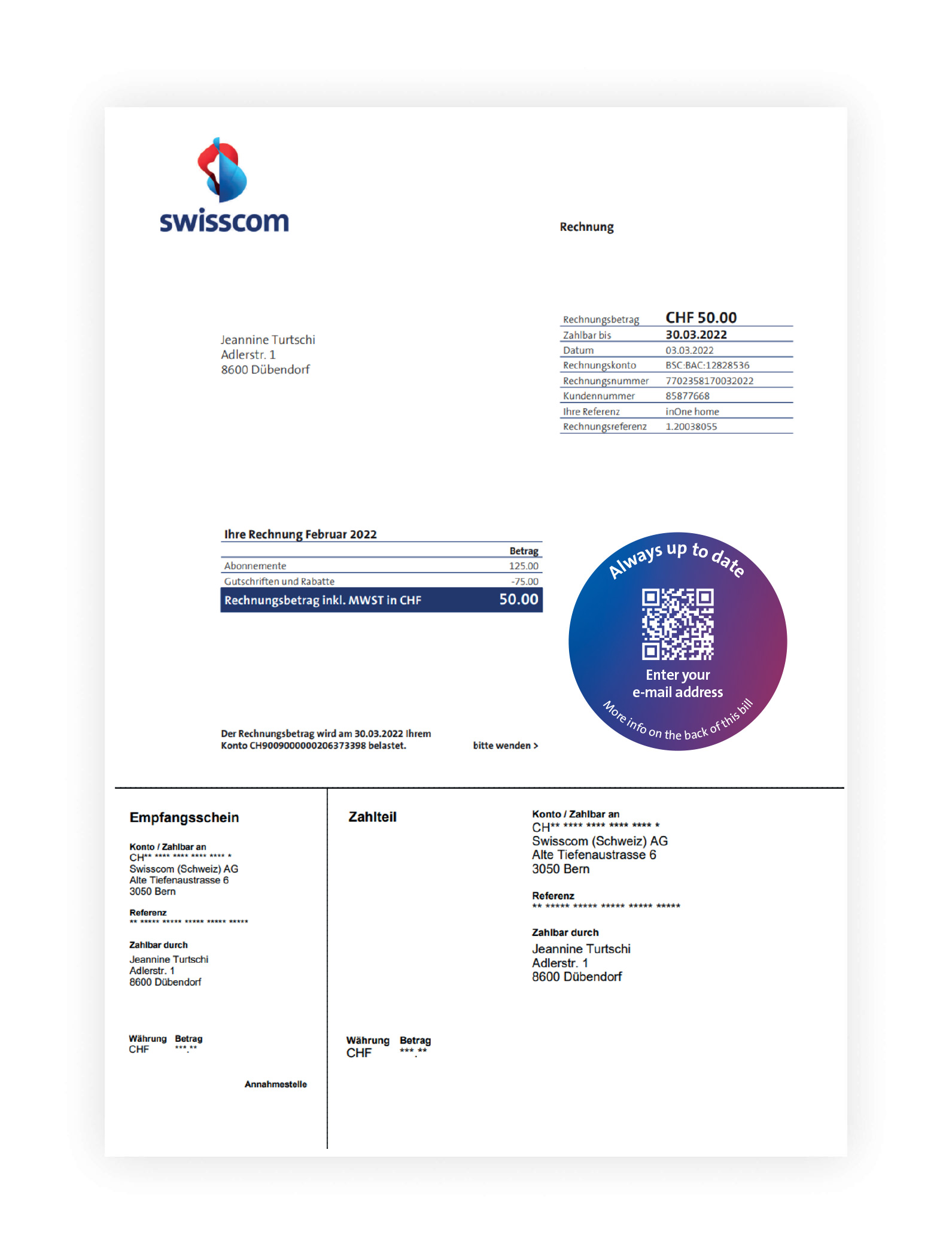
1. Open the Customer Center using the QR code or link and log in.
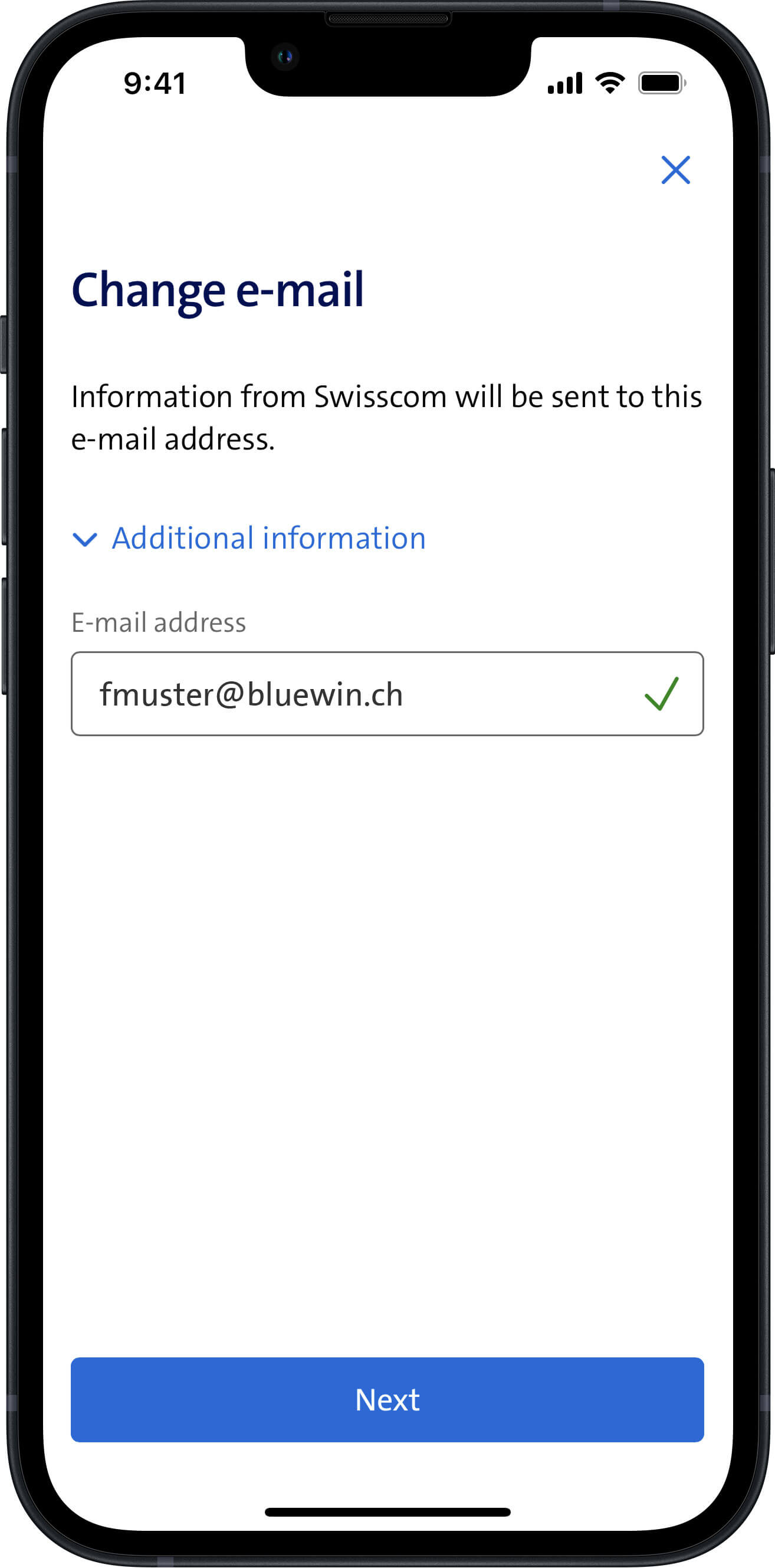
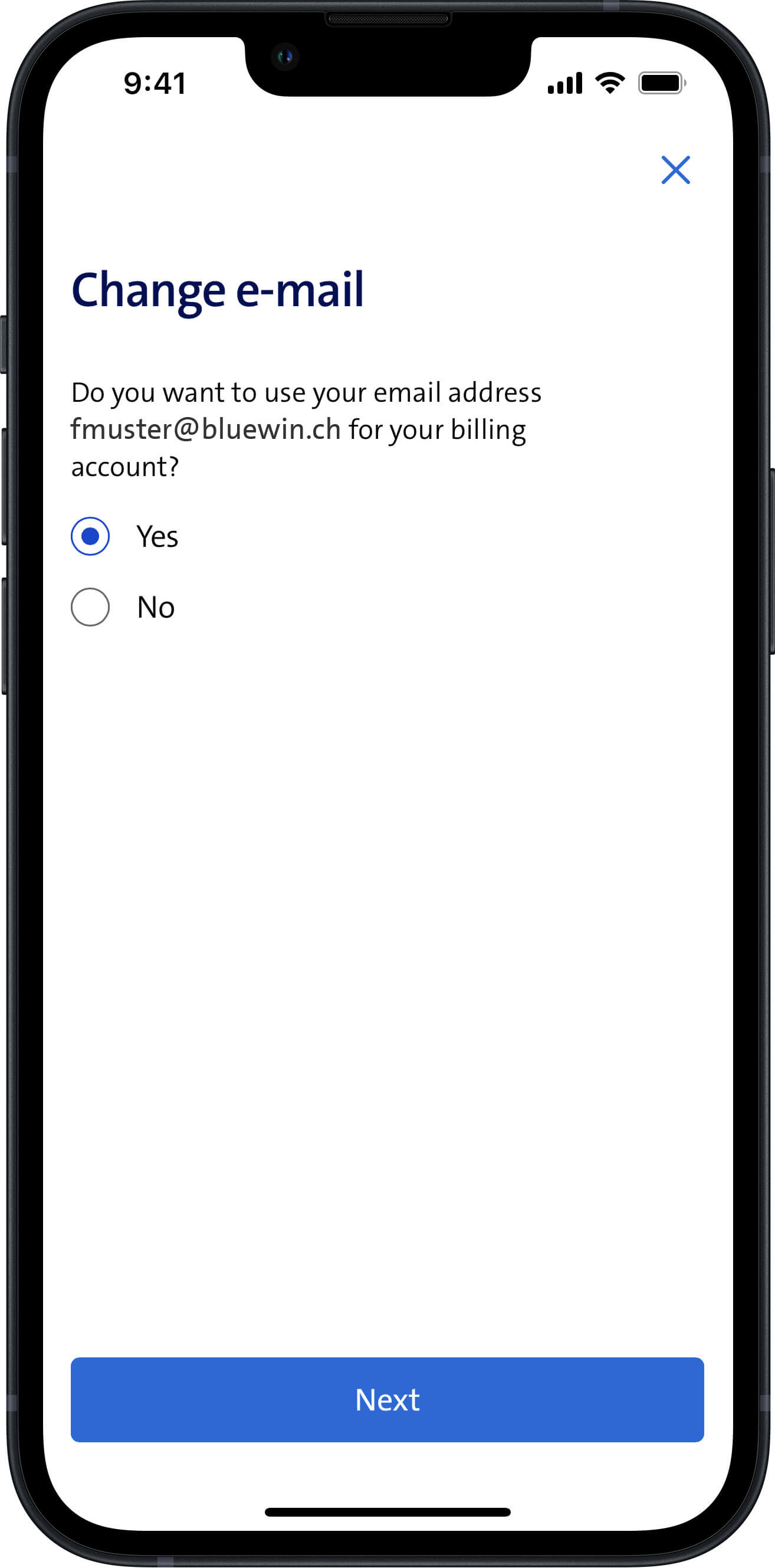
2. Enter and confirm the correct e-mail address.
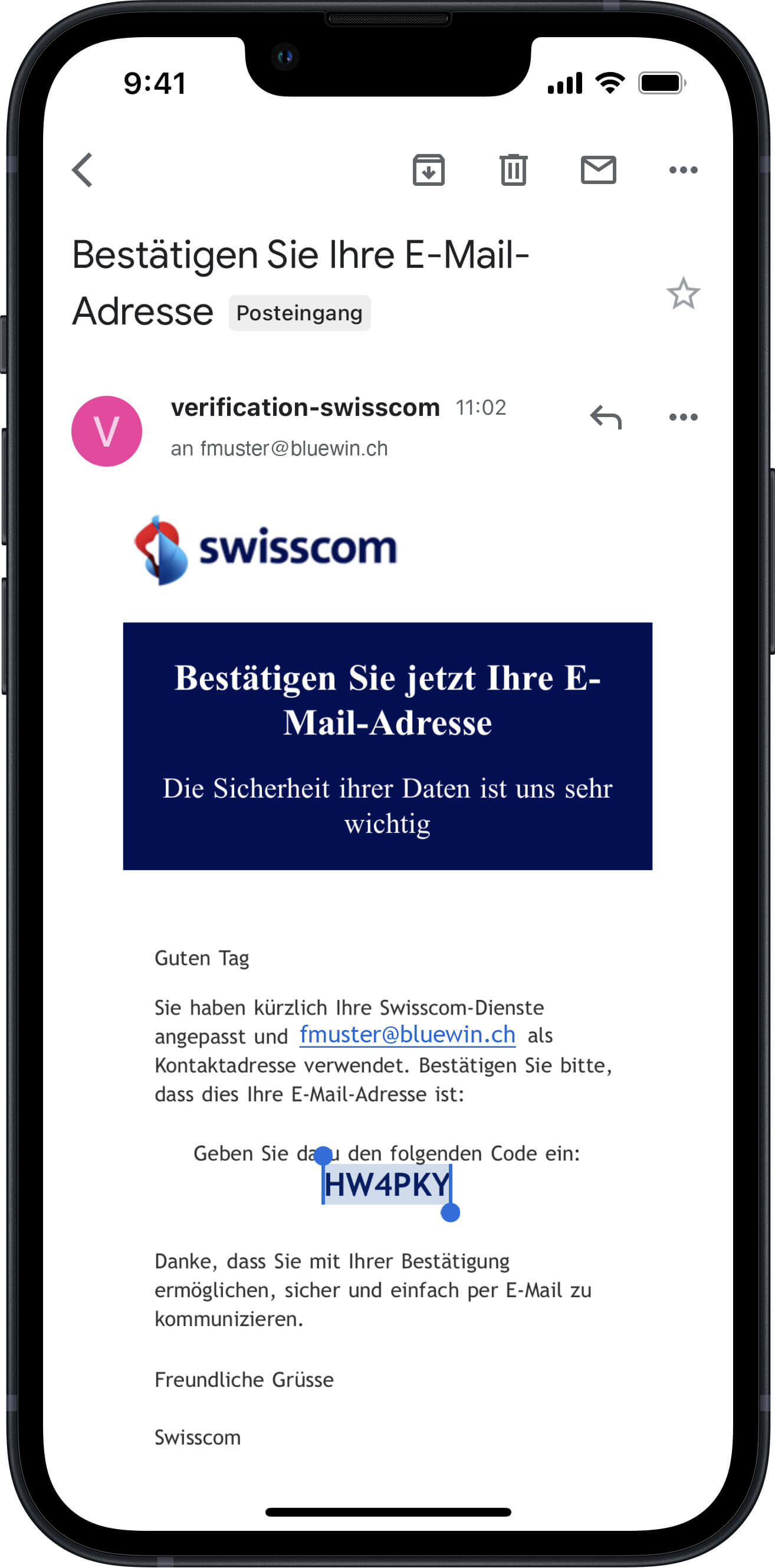
3. You will receive an e-mail containing a confirmation code.
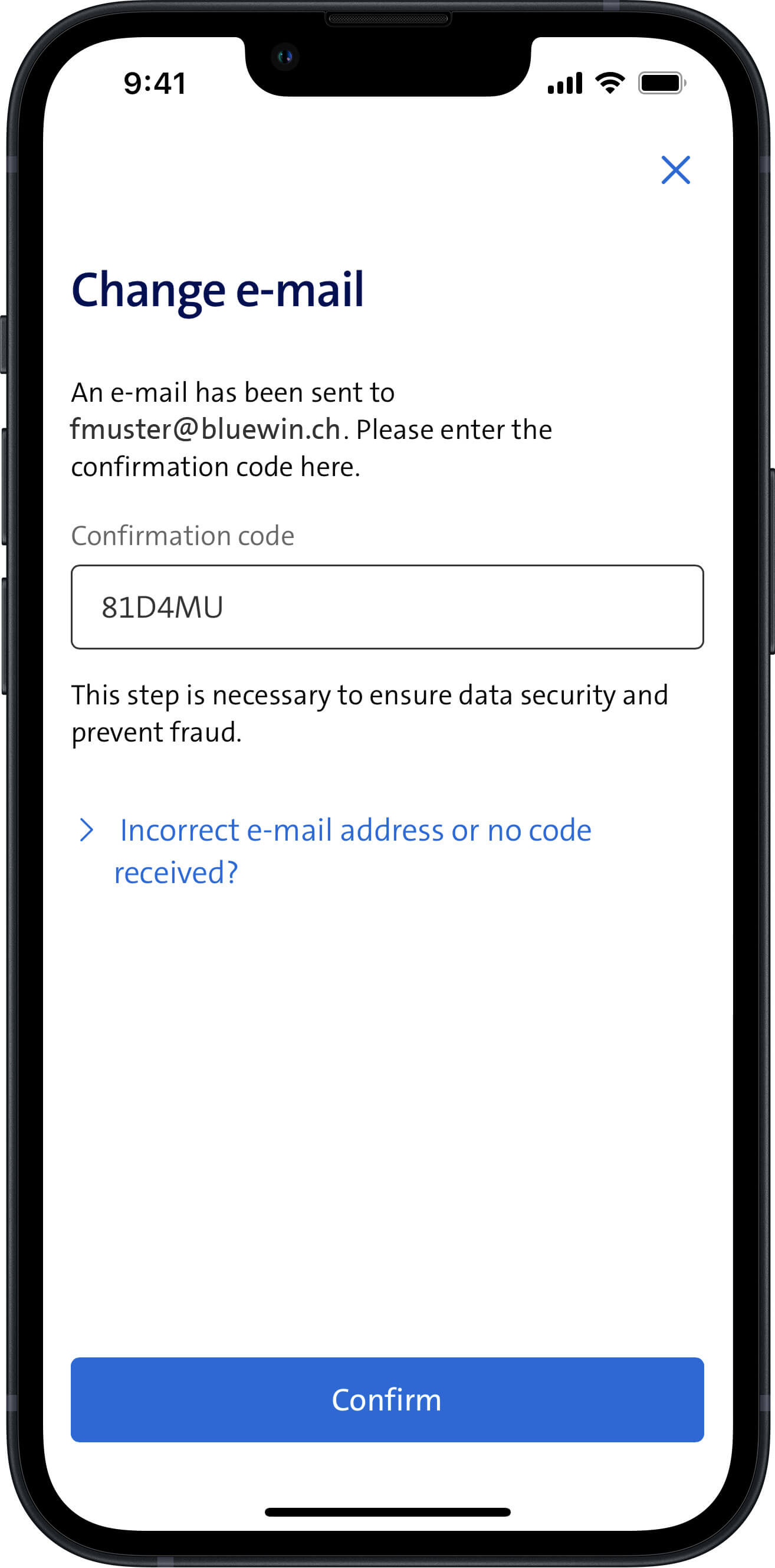
4. Enter the confirmation code.
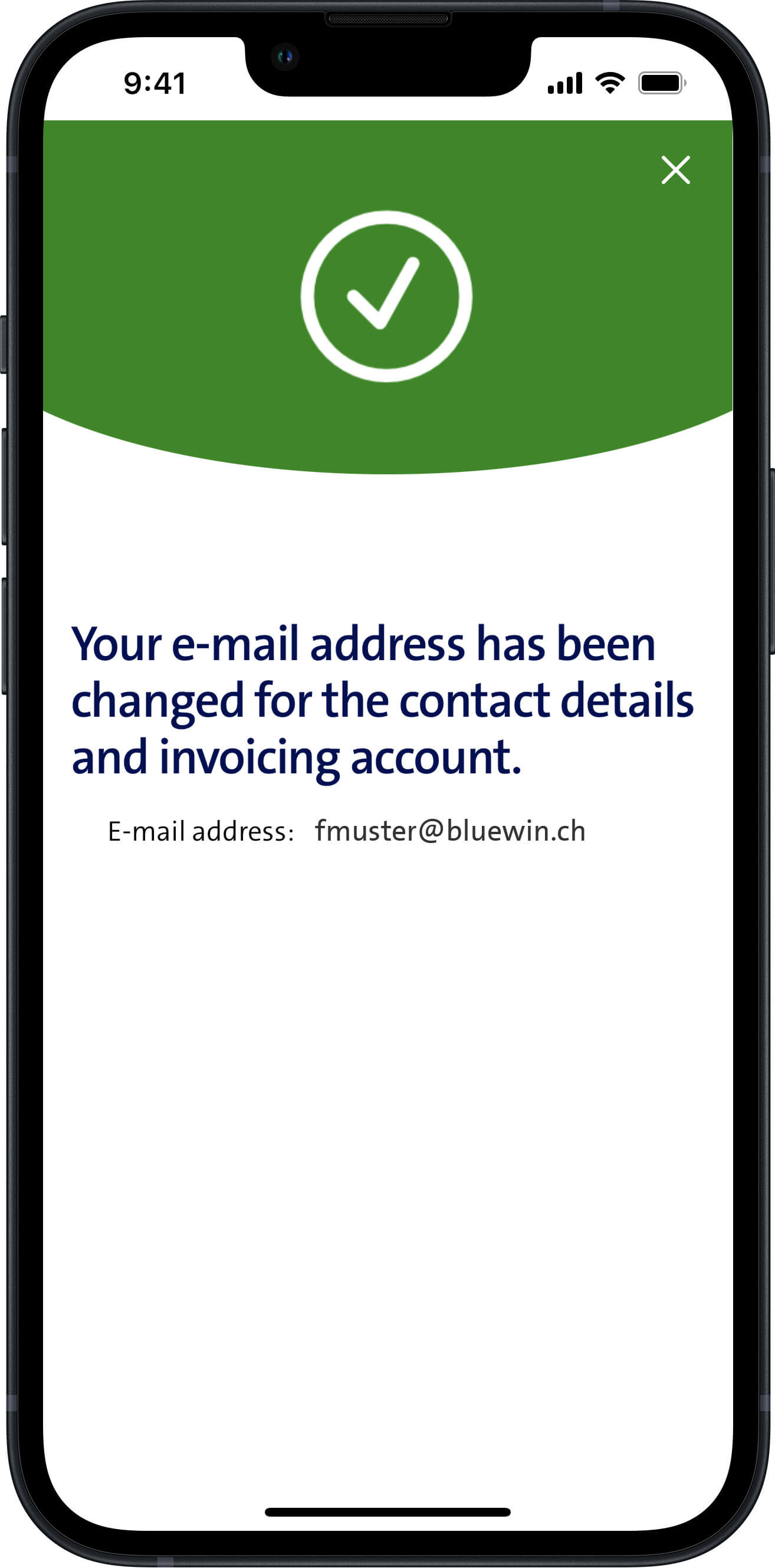
5. You have entered your e-mail address for your contract. Thank you for your support.
SMS, letter or note on your bill: how are customers contacted?
All customers with a Swisscom mobile number will be sent an SMS. Your mobile phone is uniquely associated with your personal account. It is quicker, easier, more environmentally friendly and less expensive to carry out the check by SMS.
If we do not have a customer’s mobile number, we will contact them by letter. This process will allow us to ensure that the e-mail address has been correctly assigned to you.
Customers also receive a note on their bill about entering their e-mail address.
What will happen if I do nothing?
You will continue to receive SMS or letters requesting that you add your e-mail address. In the meantime, we will be unable to send important personal messages and information about your contract to you quickly and easily.
What should I do if I do not receive a confirmation e-mail?
It may take several minutes for you to receive the confirmation e-mail. Please wait a moment and then check your e-mail inbox again.
If confirmation e-mails do not arrive, this is usually due to minor spelling mistakes. Please therefore check that your e-mail address does not contain any spelling mistakes.
Your e-mail inbox might also be full. Please check that you are still able to receive e-mails and archive or delete any e-mails that you no longer need from your inbox.
In exceptional cases, technical problems may delay or prevent receipt of the confirmation e-mail. Please check your Internet connection and check your inbox again later.
If you are unable to add your e-mail address this way, you can also do this in the Swisscom Customer Center. The section below explains how you do this.
Can I also add my e-mail address in My Swisscom?
You can also add and change your e-mail address in My Swisscom at any time. How it works:
Go to My Swisscom(opens in new tab) Help from the Swisscom Community(opens in new tab)
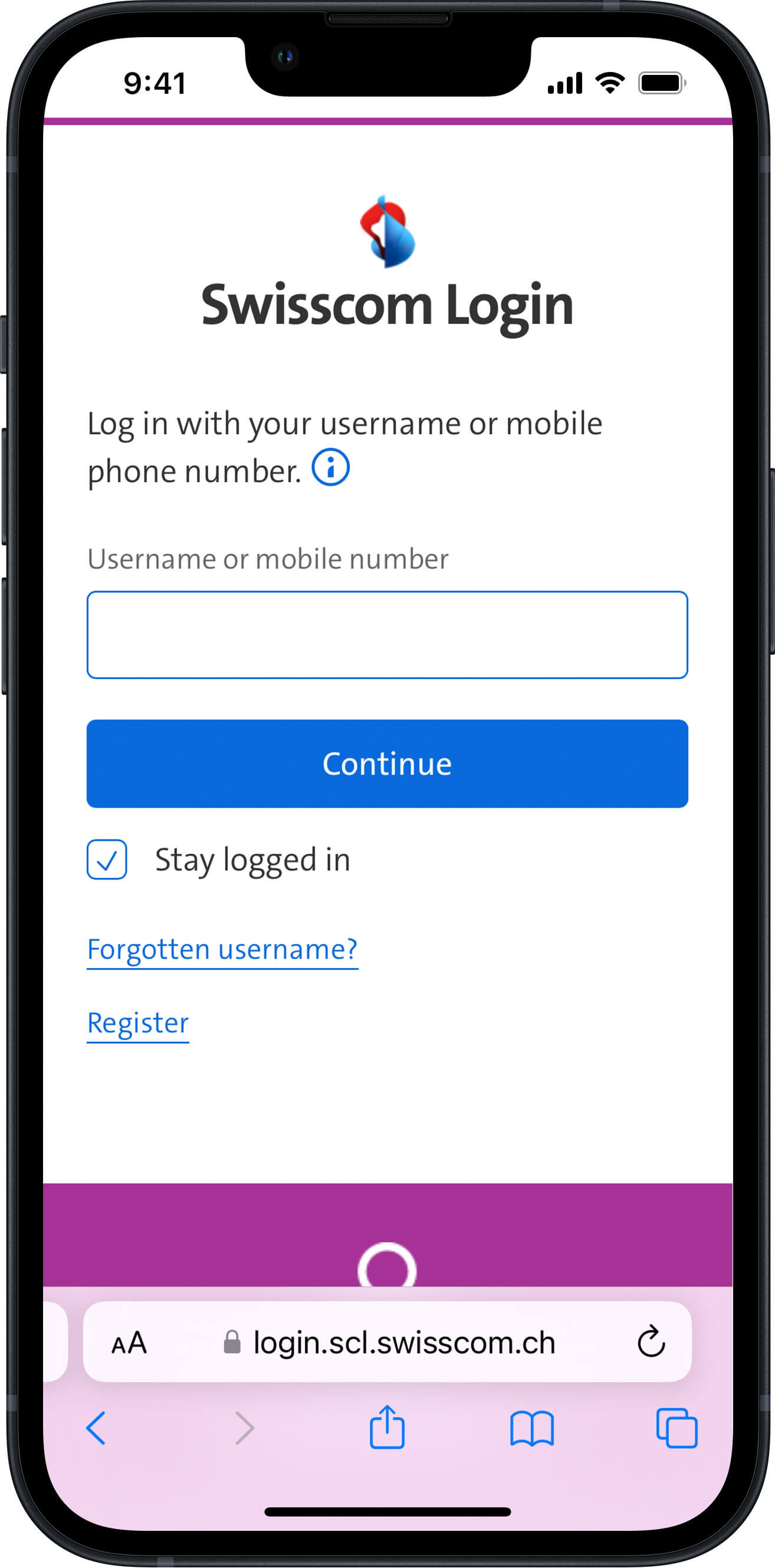
1. Log into the Customer Center with your Swisscom login.
2. Enter and confirm the correct e-mail address.
3. You will receive an e-mail containing a confirmation code.
4. Enter the confirmation code.
5. This completes the checking process. Thank you for your support.
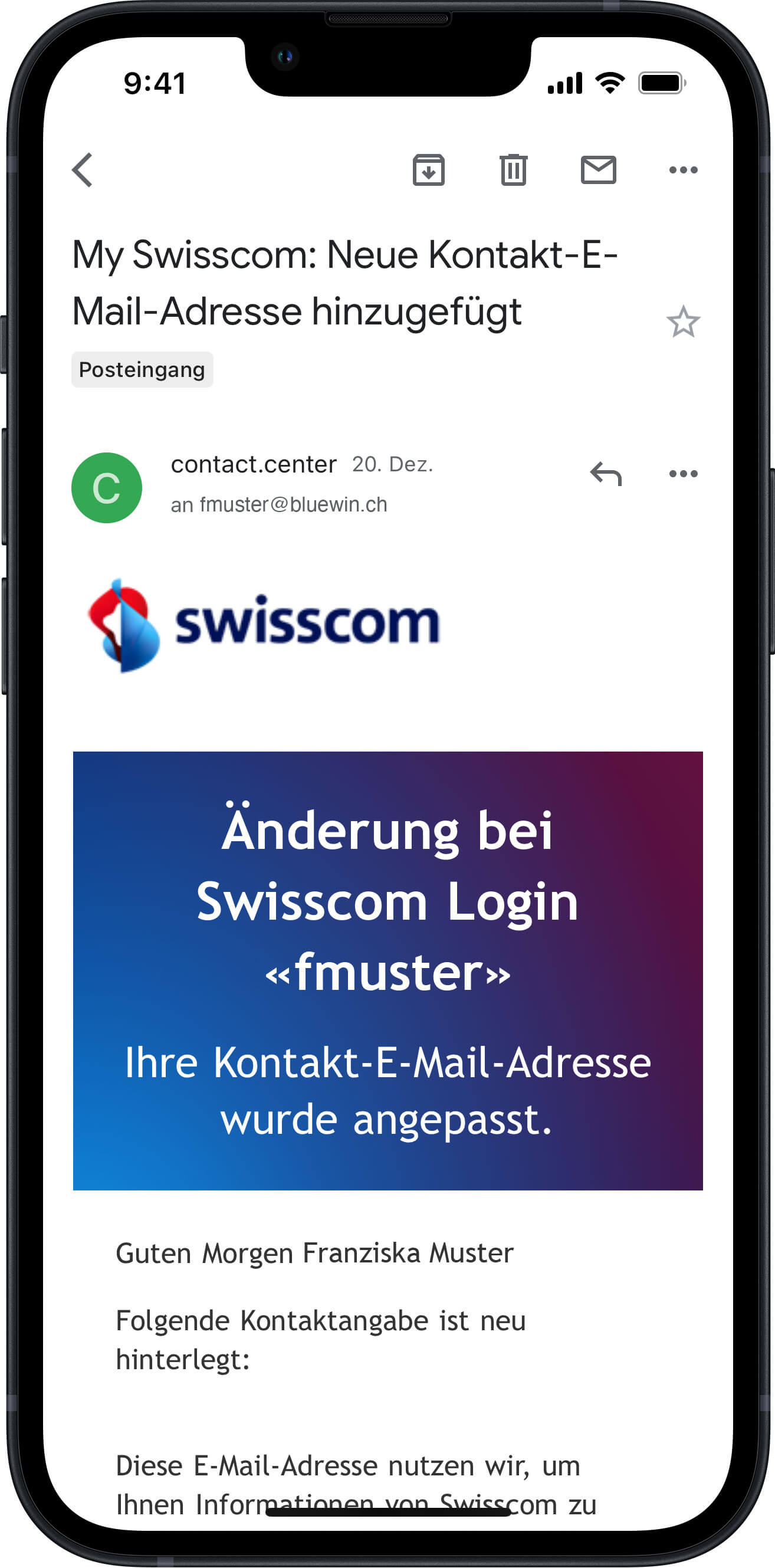
6. You will receive an e-mail confirming that your correct e-mail address has been entered.
How can I be sure that the SMS comes from Swisscom?
The sender displayed in SMS messages from Swisscom is “Swisscom” and the SMS will be personalised with your name. You will receive a link to personalised Swisscom webpage. The link will look like this:
https://validation.swisscom.ch/HASH(opens in new tab)
HASH stands for the eight-digit combination of letters and numbers that allows the webpage to be anonymously personalised.
Help from the Swisscom Community
Help from the Swisscom Community
This page did not answer your question? Our community with over 10'000 active users is well informed and can certainly help you.




