Device and buttons
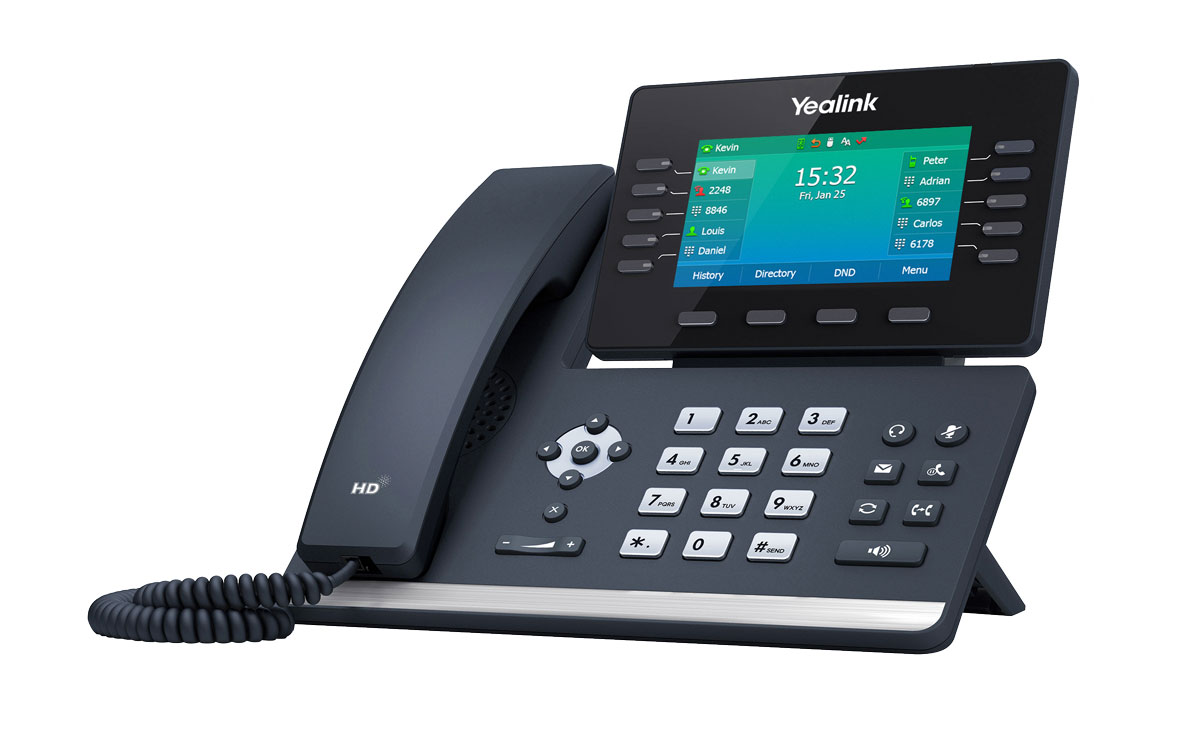
Instructions (PDF)
Get to know the device
Buttons and ports
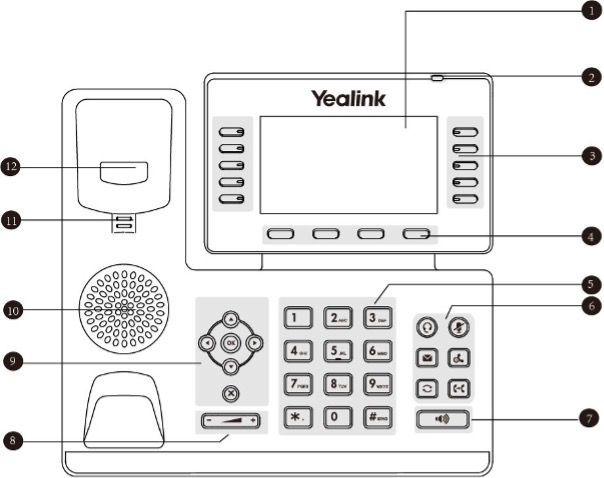
- LCD screen
- LCD operating display
- Programmable keys
- Softkeys
- Keypad
- Function keys
a. Headset mode
b. Mute button
c. Message
d. Call-on-hold
e. Redial
f. Forward call
- Hands-free function on/off
- Volume button
- Navigation/OK button
- Loudspeakers
- Fork switch pin
- Fork switch
Frequently asked questions
How do I set up my Yealink T54W HD-Phone?
Setting up your Yealink T54W HD-Phone:
- Plug the telephone cable supplied into the receiver and the socket with the receiver symbol on the base of the telephone.
- Plug the network cable supplied into the Internet socket on the base of your telephone and into one of the network (LAN) ports on the router you are using.
- Connect the power cable to the base of the telephone and plug the other end of the power cable into a conventional socket.
- Follow the instructions on the display.
Choose your support option
Möchten Sie etwas bestellen? Wir beraten Sie

Manage your products, services and data directly in your account.
Open My Swisscom(opens a new window)
The digital assistant Sam helps you with questions about your Swisscom products.
Start ChatGet personal help from experienced Swisscom customers.
Go to help



