ⓘ This page has been translated using artificial intelligence.
Generative image AIs and image generation models
An image of a cow surfing and cheering in the sea, rendered in photorealistic detail – for a long time, this was simply impossible. Today, such scenes are part of everyday life. And it’s no longer just about generating images: the latest generation of image-generating AI can be operated through dialogue. You simply upload an image and describe what needs to be changed, and the AI implements it precisely. On this page, we explain how image AI works, introduce the best-known models, show useful applications for everyday life, school and work, and reveal how to spot AI-generated images.
Go directly to topic
Share this page
You will find these topics on this page:
- To explain how image AI works, we will introduce you to two methods of image generation.
- We will look at the best-known AI image generators and compare them with the execution of a prompt.
- We will show you useful application examples of image-generating AI for everyday use.
- And we will discuss image AI in education.
How do image AIs work?
Topic
How do image-generating AIs work?
To generate images, AIs today essentially have two different methods at their disposal: diffusion models and autoregressive models. Both can produce impressive images, but they take fundamentally different approaches:
Diffusion models
Diffusion models start with random image noise (a grey, grainy area) and refine this in many small steps until the image you described in the prompt emerges. This iterative process enables a high level of detail and great stylistic variety. Well-known examples of diffusion models include Midjourney and Stable Diffusion. Such models are particularly strong when it comes to artistic and stylistic results. However, they tend to struggle with accurately implementing complex text descriptions or editing existing images.
Autoregressive models
The newer generation of image AIs takes a different approach: autoregressive models are part of larger multimodal language models. (These are models that can simultaneously understand and process text, images and, in some cases, audio.) They therefore understand prompts much better and can respond to image requests in a more context-aware manner. A significant qualitative difference compared to diffusion models is particularly evident in image editing: the AI only changes what you request in natural language within the prompt. Well-known examples of autoregressive models include GPT Image (OpenAI) and Nano Banana Pro (Google).
Until around 2021, Generative Adversarial Networks (GANs) were the leading technology. These have since been clearly surpassed by diffusion and autoregressive models in terms of quality and versatility, and no longer play a role in mainstream tools today.
AI-generated images and copyright: What you need to know
When images are created using AI, the legal situation is interesting: currently, they are not protected by copyright in the United Kingdom, which makes their use flexible. Nevertheless, trademark and personality rights must be taken into account. Rapid developments in technology could lead to changes in copyright law in the future. Stay informed to keep up to date.
Topic
What are the best-known AI image generators?
As with text AI, there are also more and more models available for AI image generators. GPT-4o and Midjourney are currently at the top of the quality scale.
GPT Image (OpenAI)
GPT Image is OpenAI’s image generation and editing model. As the successor to DALL·E, GPT Image also replaces GPT-4o. The model is particularly adept at interpreting prompts because both text and images are generated within the same neural network. This allows specific elements or areas of an image to be modified in a targeted manner.
Age rating (GPT Image)
Recommended for ages 13 and over
Access (GPT Image)
Web, app, API for developers, Microsoft Copilot
Strengths (GPT Image)
- Generates and edits images within a conversational context.
- Understands complex prompts very well thanks to native language comprehension.
- Ideal for text-image combinations such as posters or captions.
Weaknesses (GPT Image)
- The number of images is limited in the free version.
- Less stylistic freedom than, for example, Midjourney or Stable Diffusion.
- Results sometimes appear a little too flawless.
Safety (GPT Image)
- Chats are saved by default.
- Data is used for training by default (this can be opted out of).
- Strict content guidelines designed to prevent misuse.
Educational value (GPT Image)
- Ideal for creating worksheets or illustrations for lessons.
- Can visually explain concepts using graphics.
- Low barrier to entry for teachers or pupils.
Classification (GPT Image)
- All-rounder for families, schools or everyday professional use.
- Stronger in precise image editing than in artistic freedom.
- First choice when text and images interact.
Try GPT Image: https://chat.openai.com/ (opens in new tab)
Midjourney
Midjourney is regarded as the ‘gold standard’ of AI image generation and is renowned for its stylistic depth and artistic quality. This sets this specialised image model apart from all-rounders such as GPT Image. Version 7 (2025) introduces personalised style calibration, voice input and, for the first time, video generation. Existing images can be animated into clips of up to 21 seconds.
Age rating (Midjourney)
Recommended for ages 13 and over
Access (Midjourney)
Web, Discord
Strengths (Midjourney)
- Creativity and artistic quality.
- Excels at portraits and complex compositions.
- Personal style calibration.
Weaknesses (Midjourney)
- No free version available.
- Getting to grips with parameters requires time and patience.
- Not very precise in execution with detailed text prompts.
Safety (Midjourney)
- Generated images are displayed publicly (depending on subscription).
- Possibility of encountering inappropriate content.
- Discord environment can be distracting; the web interface is the clearer option.
Educational value (Midjourney)
- Integrates art styles and eras very impressively.
- Promotes visual thinking and an understanding of composition.
- Not particularly suitable for creating learning materials.
Classification (Midjourney)
- Best choice for artistic and creative projects.
- Premium tool for ambitious designers.
- Not particularly suitable when quick results or precision are required.
Try Midjourney: https://midjourney.com/home(opens in new tab)
For advanced learners: Midjourney Parameter(opens in new tab)
Canva AI (Dream Lab)
Canva is a popular design platform and, with Dream Lab, offers powerful AI-powered image generation. The focus is on ease of use and seamless integration into existing projects. Since 2025, Google’s Nano Banana Pro has also been integrated, significantly improving image editing and text rendering.
Age rating (Canva AI)
Recommended for ages 13 and over
Access (Canva AI)
Web, app
Strengths (Canva AI)
- Easy to use, no prior knowledge required.
- Direct integration into Canva projects.
- Significantly better quality since the acquisition of Leonardo.ai (2024).
Weaknesses (Canva AI)
- Less suitable for pixel-perfect, professional image editing.
- Stylistically less experimental than Midjourney.
- Premium features are subject to a fee.
Safety (Canva AI)
- Child-friendly environment thanks to robust content filters.
- Various user roles for content and access management.
- Activities and uploads are used for training (can be opted out of).
Educational value (Canva AI)
- Canva Education offers numerous templates for teaching materials.
- Free access for pupils upon invitation by teachers
- Suitable for learning the basics of design in a playful way.
Classification (Canva AI)
- Ideal for beginners and schools.
- Less suitable for purely artistic or technically demanding projects.
Try Canva AI: https://www.canva.com/ (opens in new tab)
Firefly (Adobe)
Adobe Firefly has evolved from an AI image generator into a standalone Creative AI Studio. This combines image, video and audio generation and editing on a single platform. The ethical approach remains a key feature, as all Firefly’s proprietary models have been trained exclusively using licensed content, Adobe Stock images and public domain works, and can therefore be used commercially without concern.
Age rating (Firefly)
Ages 13 and over
Access (Firefly)
Adobe Creative Cloud, web, app
Strengths (Firefly)
- Seamless integration with Adobe products such as Photoshop, Illustrator or Premiere.
- In addition to Firefly Image Model 5, partner models such as GPT Image or Nano Banana Pro are available within the same subscription.
- Images generated by Firefly’s own models can be used commercially without copyright concerns.
Weaknesses (Firefly)
- Full potential is only realised with knowledge of Adobe Creative Cloud.
- Generative credits vary depending on the subscription; you can quickly reach the limit.
- The proprietary model is somewhat plain in style.
Safety (Firefly)
- Transparent data usage and licensing.
- Member of the Content Authenticity Initiative, with generated images tagged with C2PA metadata.
- Strict content guidelines.
Educational value (Firefly)
- Ideal for school projects with a commercial focus.
- More suitable for higher education levels.
Classification (Firefly)
- Professional approach, making it suitable for businesses.
- Ideal for anyone already working within the Adobe ecosystem.
- Wide versatility in one place thanks to the range of models available.
Try Firefly: https://firefly.adobe.com/ (opens in new tab)
Open-source models
If you want more control over your image generation, the open-source world is the place to look. Unlike commercial image AI tools, these models run locally on your own computer, with no subscriptions and no cloud. In return, they offer maximum customisability. Ideal for developers, creative tinkerers and organisations concerned about data privacy. Getting started, however, requires technical know-how and powerful hardware.
A comparison of our selection of open-source models:
FLUX.1 fast (Black Forest Labs)
https://huggingface.co/black-forest-labs/FLUX.1-schnell(opens in new tab)
Licence: Apache 2.0
Key features: fast, high quality and also freely usable for commercial purposes
Stable Diffusion 3.5 (Stability AI)
https://huggingface.co/stabilityai/stable-diffusion-3.5-large(opens in new tab)
Licence: Community licence
Key features: large community, wide variety of styles available
HunyuanImage 3.0 (Tencent)
Licence: Open Weights (Tencent Hunyuan Community License)
Features: autoregressive model, strong at high resolution, can also be used on less powerful hardware
Open-source models are local installations that can be obtained via web platforms such as Hugging Face(opens in new tab).
Nano Banana Pro (Google)
Nano Banana Pro (officially: Gemini 3 Pro Image) is Google’s most advanced image generation model. It was released in November 2025 and is directly integrated into the Google product ecosystem. The model is characterised by photorealistic quality and precise text rendering in multiple languages.
Age rating (Nano Banana Pro)
13+ (18+ in the EU and UK)
Access (Nano Banana Pro)
Gemini App, Google Workspace, NotebookLM, Google Search, API
Strengths (Nano Banana Pro)
- Photorealistic results in 4K resolution.
- Seamless integration with Google products, making it easy to create presentations and documentation.
- Image editing via natural language.
Weaknesses (Nano Banana Pro)
- Full feature set available only with a paid subscription.
- Free use is severely restricted.
- Less artistic and stylistic than Midjourney.
Safety (Nano Banana Pro)
- All generated images are automatically tagged with SynthID (invisible watermark).
- Strong content filters.
- Data protection standards in accordance with Google guidelines.
Educational value (Nano Banana Pro)
- Integrated into Google Slides or NotebookLM, the model is ideal for school presentations or learning materials.
- Simple operation using natural language, meaning there are hardly any barriers to entry.
Classification (Nano Banana Pro)
- Suitable for anyone already using Google services.
- Ideal for anyone seeking precise, realistic results.
- A paid Google AI subscription is required for intensive use.
Try Nano Banana Pro: https://gemini.google.com/(opens in new tab)
How do the most popular image generators differ in quality when executing the same prompt?
«cute comic style, wide angle, plush elephant shaking hand of a mouse, sunset, warm colors –ar 16:9»

Image generated by GPT Image 1.5 (OpenAI).
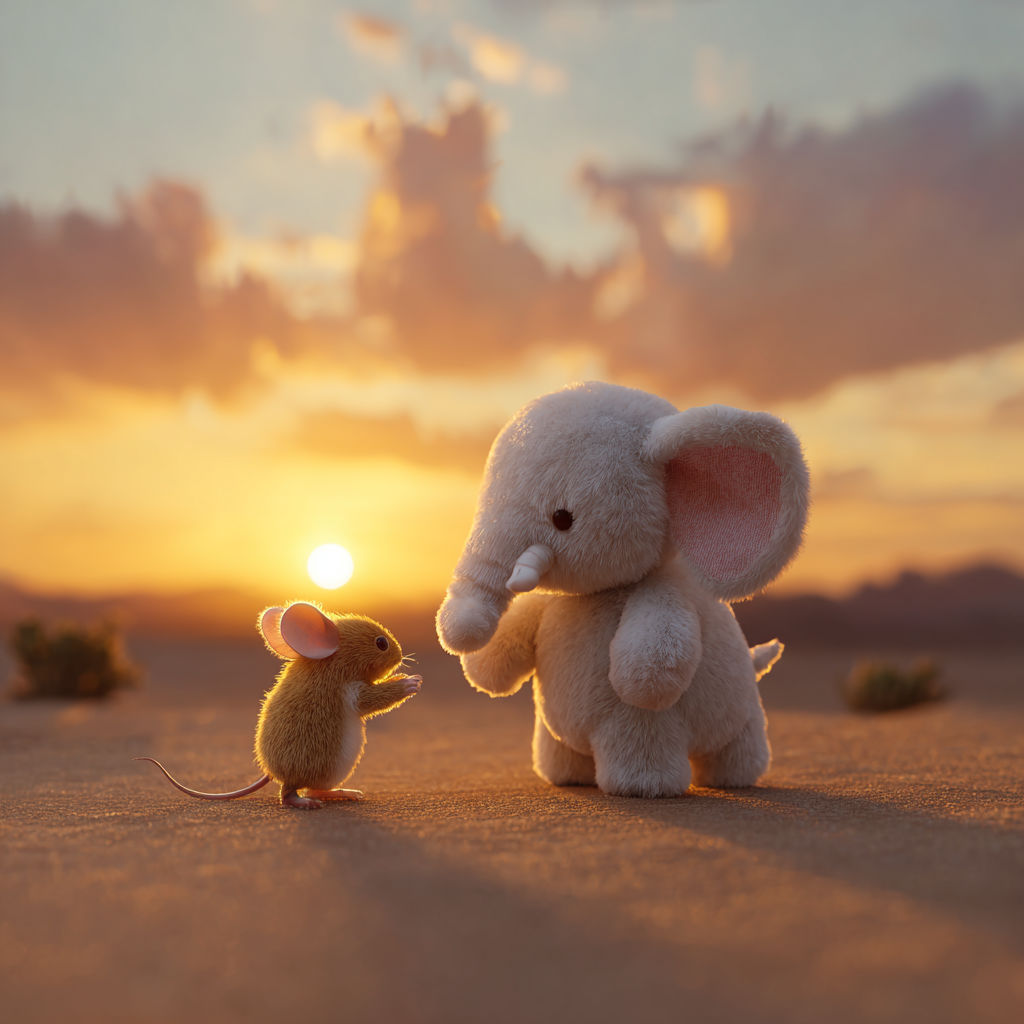
Image generated by Midjourney v7.
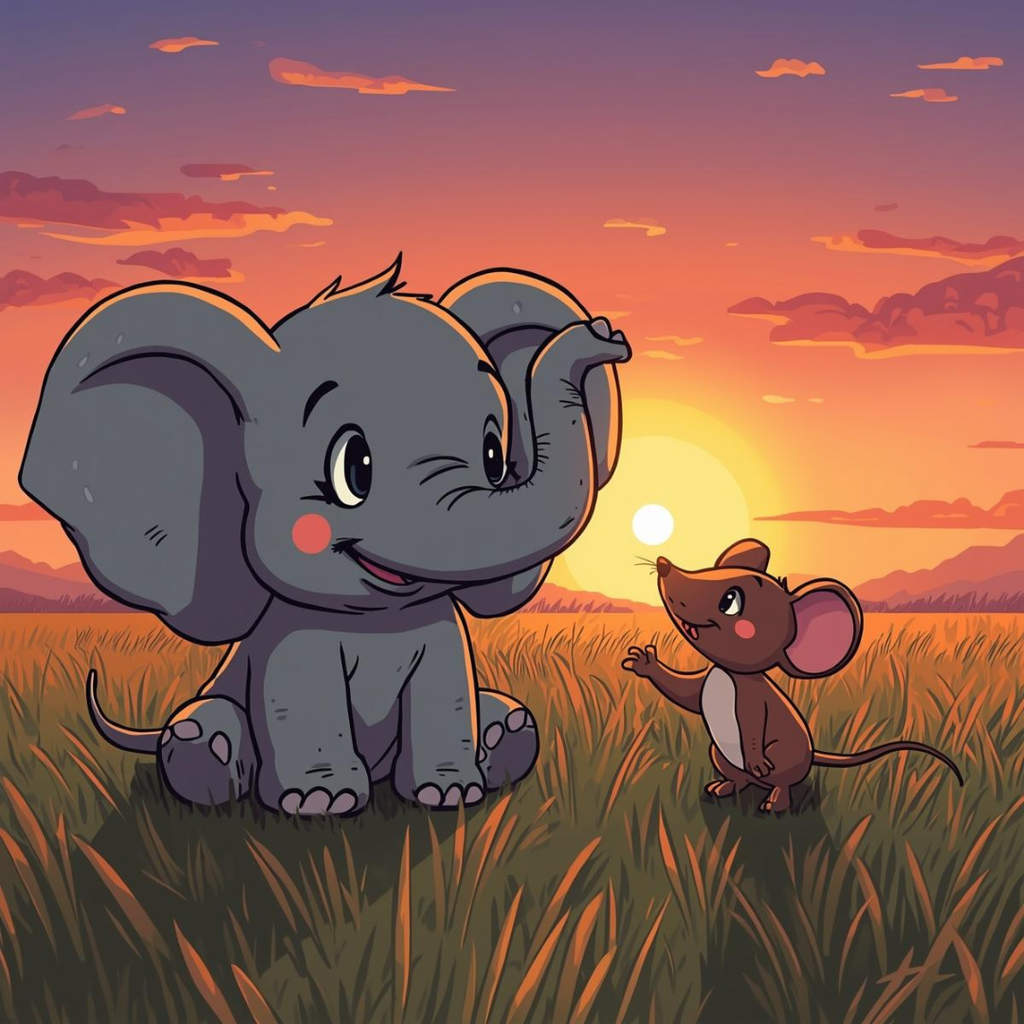
Image generated by Canva AI (Dream Lab).
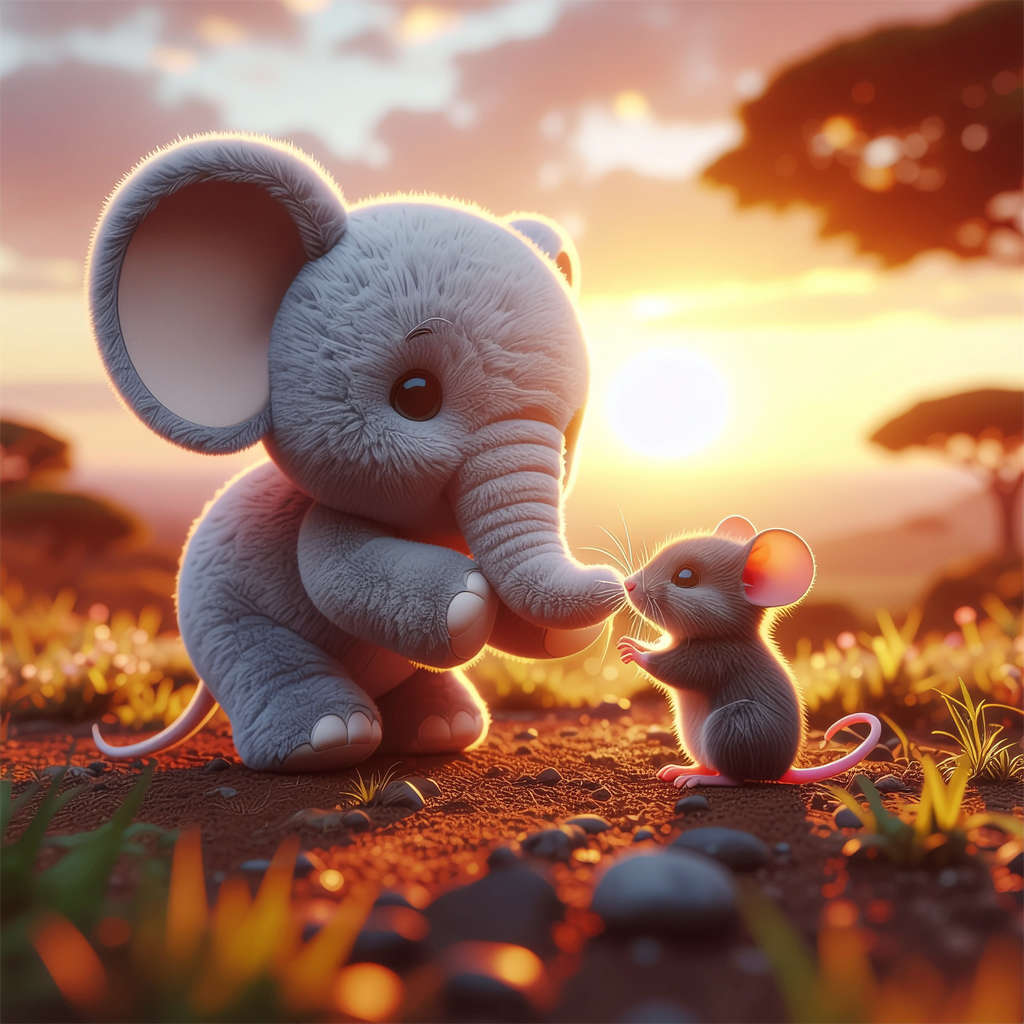
Image generated by Firefly Image 4 Ultra (Adobe).
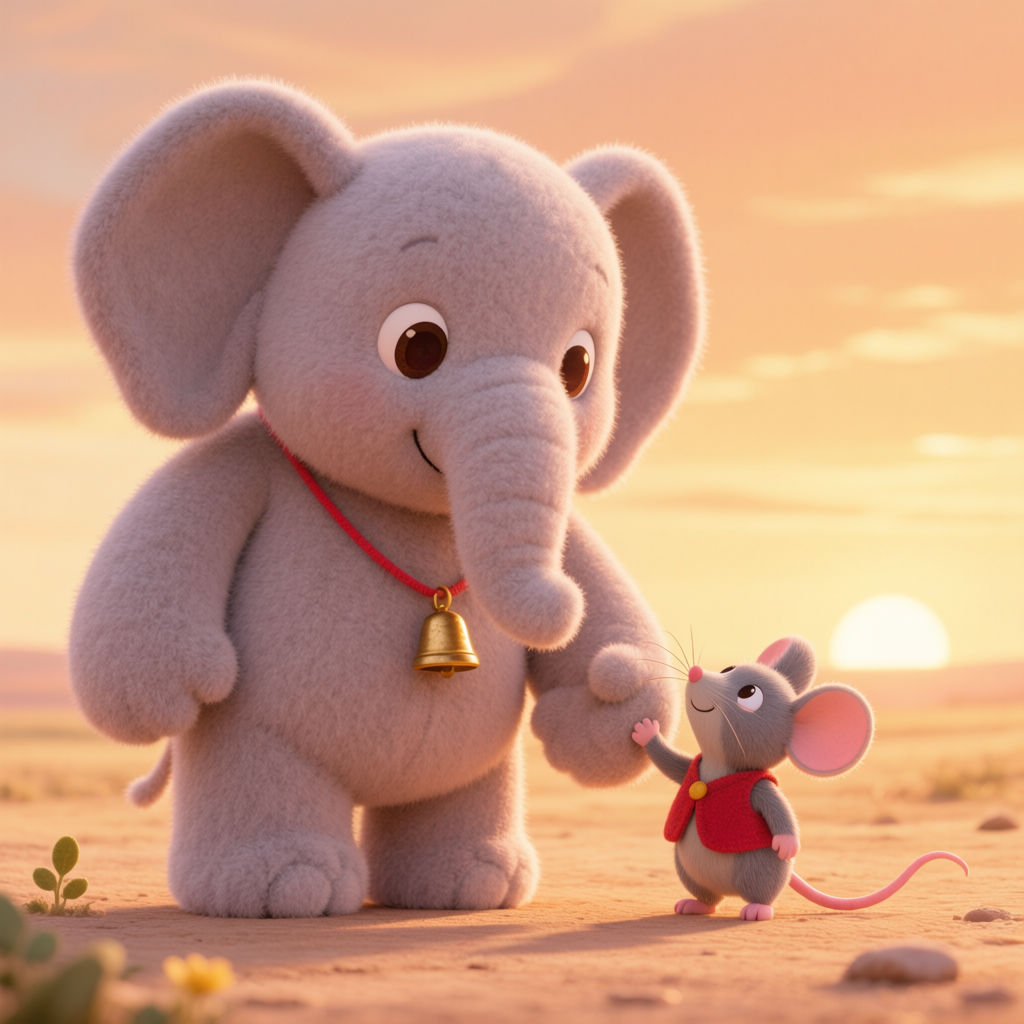
Image generated by HunyuanImage 3.0 (Tencent).
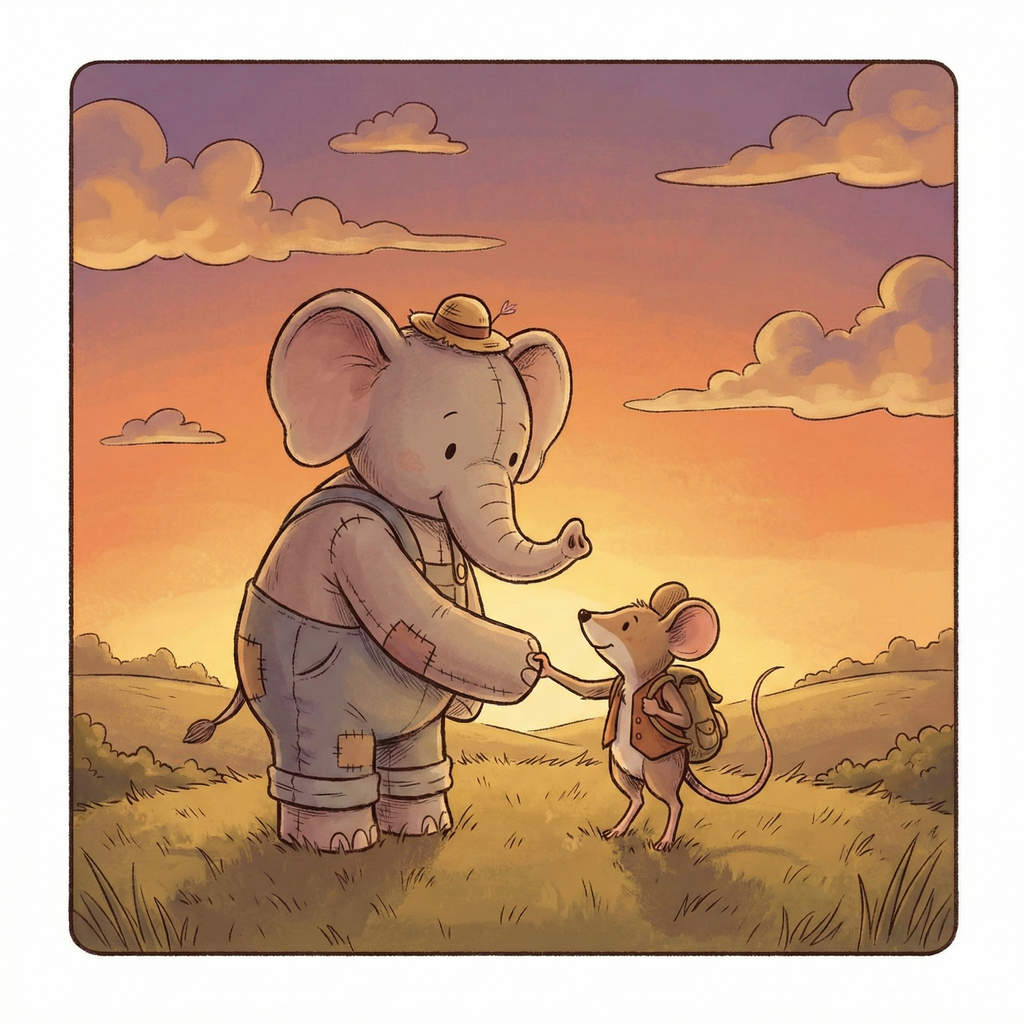
Image generated by Nano Banana Pro (Google).
Topic
Multimodal models: designing through dialogue
The new generation of AI image generators works differently from their predecessors: rather than simply accepting a text prompt, multimodal models such as GPT Image or Nano Banana Pro can understand and process text, images and, in some cases, audio all at once. This makes using them even more natural and intuitive for you.
Multimodal AI goes beyond text and images.
What this means for your prompts:
Conventional image models
You write a text prompt (e.g. “A red apple on a table”) and let the AI generate an image.
Multimodal models
You can also upload an image of a red apple on a table and instruct the AI: ‘Make the apple blue and add a banana’ or ‘Create a similar scene, but in winter’.
With multimodal models, you work in dialogue with the AI. It’s like having a personal designer whom you watch at work and give feedback to in real time. The AI remembers your chat history and previous versions of the image, and can develop the image iteratively with you. Individual elements such as lighting, background, colours or facial expressions can be altered whilst the rest of the image remains unchanged. Use this dialogue function to explore alternatives, give specific feedback (“I like this, but not that”) or work your way towards your ideal image step by step.
One small drawback: multimodal models are still in their infancy and are sometimes not yet fully developed. As a result, the AI may forget parts of the original image, or not all image details can be controlled during the conversation.
Multimodal models for greater inclusion
As multimodal models can analyse and describe images, they are also used to generate alternative text. In doing so, they create alternative text for visually impaired people, which can be embedded in digital images to improve accessibility.
Topic
How do I prompt better images?
A good prompt provides guidelines on visual style, specific content and aspect ratio (depending on the model). Here, we reveal what else you can pay attention to so that the AI generates the images you have in mind.
A few basic principles to start with: When prompting, be careful not to use filler words. The correct prompt length is crucial, as longer prompts help the AI to implement your idea. However, if your specifications are too detailed, the AI may get lost and visualise elements that are not so important to you.
Also research technical terms from the visual arts(opens in new tab) so that you can give the AI very specific style specifications.
Every generative AI works slightly differently. But with all of them, it is worth paying attention to these basic things:
Language
Not all image generators understand English. Find out which language the desired image generator speaks and prompt it in that language. (You can also get help from a translation AI such as DeepL(opens in new tab).)
Visual style
What style should the image be rendered in? Would you prefer a stylised artistic style (like Van Gogh's paintings) or a photorealistic motif? Give the AI a precise task that it can carry out.
Content
What exactly should be visible in the picture? What is in the foreground, what is in the background? Name all the necessary elements.
Colour scheme and atmosphere
What colour scheme should the image be generated in? Do you want a black-and-white image or a colourful scene? Where does the light in the image come from? What is the mood of the image?
Aspect ratio
With some tools (such as Midjourney), you can determine the aspect ratio yourself, for example: portraits with a ratio of 3:4.
Reference images
Instead of describing a style or mood in words, you can simply show the AI an image. Upload a reference photo and ask the AI to create your prompt in that style. Or to build on and modify the reference image directly.
Topic
Examples of everyday applications
AI image generation can do more than just encourage artistic self-expression. It can be of practical help in everyday family life, as well as in school and work contexts. The possibilities are more varied than you might think.
Weihnachtskarte mit KI erstellen.
For families
Personalise stories
Need a new bedtime story for your child? With multimodal models, you can easily create your own picture book. AI helps you bounce ideas back and forth and formulates your story the way you want it. It can transform your quick sketches into high-quality drawings to illustrate your book. And it can give you helpful tips on printing and organisation.
Example
Rethink home furnishings
Would you like to freshen up your living room – perhaps with a new sofa? A different colour on the walls? If you don't want to or can't imagine it yourself, let AI do it for you. Simply photograph your living room and use AI to try out different furniture, colours or interior design styles – before you spend any money.
Example
‘Show me the living room in the uploaded image with a sky blue sofa and bright white walls.’
Design invitations or cards
Whether for a birthday, Christmas or wedding, with AI you can generate personalised cards instead of giving off-the-shelf standard cards.
Note: Please remember to protect your personal data and think carefully about whether and which photos of yourself or others you upload to AI (it is best to obtain their consent beforehand).
Example
Create a Christmas card (video above)
Edit photos
Autoregressive models make image editing using AI even easier. Simply upload an image (Note: data protection) and instruct the AI to, for example, remove or replace the background, or remove a specific person from a photo. You can also alter the quality of photos and make yellowed images look as good as new.
Example
“Restore my old family photo.”
For the school context
Bringing history to life
How do you explain to your students what life was really like in the Middle Ages? Textbooks can sometimes be dry, and vivid images are not always available. Let AI reconstruct historical scenes and discuss them with your students in class:
Example
‘What did this city look like back then vs. today?’
Biology in zoom and time-lapse
Microbiological processes occur on a small scale and are usually invisible to the naked eye. However, AI can zoom in very close to a plant cell and make invisible things visible. Conversely, it can also make something unimaginably large tangible, such as what the evolution of humans would look like in fast motion.
Example
“Convert my uploaded sketch of a cell into a realistic illustration.”
Learning images instead of word cards
Learning images can be particularly beneficial for visual learners when learning languages, rather than simple word cards. AI illustrates vocabulary and creates appropriate scenes or mnemonics that are easier to remember.
Examples
‘A happy dog plays in the park.’ / ‘A French family having breakfast.’
Core competence: recognising AI images
Of course, AI can also help teach media literacy, for example by generating AI images and giving them to children to sort together with photographed images.
Example
‘How can real photos be distinguished from AI images?’ / ‘What are some typical AI errors?’ / ‘How can AI-generated content be properly labelled?’ / ‘What does this mean for journalism and the dissemination of news?’
For work
Designing creative approaches
Abstract concepts can be difficult to visualise. AI can help with this by quickly sketching out ideas. It can also assist with mood boards, either by adding images or by creating them directly. Sometimes AI helps to overcome creative blocks by filling the blank page with an initial idea. This gives you more time to finalise the best idea.
Example
‘Create a mood board for a Scandinavian-style packaging design for organic coffee.’
Content marketing and campaigns
Constantly generating new content for your company is time-consuming. Let AI help you. A multimodal model supports you in the design phase and helps with initial visualisations. Some companies in the fashion industry are already relying entirely on AI-generated content in large-scale campaigns.
Example
‘Create a second image variant to perform A/B testing. Use brighter colours and dynamic perspectives for the second image variant.’
Generating presentations
Want to make your complex data more visual? Visualisation tools such as Google’s Nano Banana Pro generate complete infographics from a dataset or a description. Microsoft Copilot (with the appropriate permissions) accesses your file storage directly and gathers the necessary information itself.
Examples
“Visualise our transformation process by analysing the two documents stored [here] and linking them together.”
Creating product photos
If you’re an SME or a self-employed person with limited resources, AI can also provide excellent support when creating product photos: photograph your products against a white background and then let the AI transform them into professional-looking lifestyle shots in various settings.
Examples
“Create product photos for my online shop from four different angles.”
Notes for professional use
If you want to use AI-generated content for commercial purposes, find out in advance about the usage rights and data protection conditions of the models. For ethical and legal reasons, clearly label AI-generated content as such. Of course, you should also observe any corporate design guidelines. And consider AI as a supplement, but not a replacement, for human skills and creativity.
Topic
How can I recognise AI-generated images?
Being able to recognise AI-generated images is becoming an important media literacy skill. Here we show you what to look out for and what to do if you are unsure. With a little practice, you will develop a good sense for it. Nevertheless, always remain vigilant, as the technologies are improving every day.
What applies to detecting video deepfakes usually also helps to expose AI-generated images. However, it is still far from easy. Even experts sometimes get it wrong. So if you are ever unsure, that is completely normal. The important thing is to remain critical and investigate when in doubt.
Distinguishing features of AI images can include
1. Visual characteristics:
Hands (incorrect number of fingers, unnatural shapes), teeth, ears, hair at the edges of the frame, text in the image (cryptic or illegible), background details (shelves, signs, patterns), facial asymmetry, a stiff or impersonal gaze, skin or lighting that is too perfect.
2. Context and visual logic:
Jewellery and accessories that make no physical sense. Reflections in glasses that do not match the surroundings. Shadows or light sources that contradict each other. People who appear to be floating slightly or are incorrectly positioned in the space.
3. Metadata and C2PA:
The image metadata may indicate the AI origin. You can check this here: https://verify.contentauthenticity.org/(opens in new tab)
Note: Metadata can be lost when uploading to social media or via screenshot, so always check the original file.
4. Watermarks
SynthID (Google): an invisible watermark that can be verified in the Gemini app. However, SynthID only works for Google AI images. Other tools exist, but are still prone to errors.
As a general rule, do not rely on one characteristic alone; instead, examine several aspects. Remain sceptical, especially when it comes to perfect images.
Deepfakes and the dangers of generative AI
Deepfakes exist not only in the form of videos, but also in the form of images. For example, when image elements are replaced using generative AI, the message changes, but the image still looks deceptively real. In the case of images, copyright is also a controversial issue.
Topic
What are the opportunities and limitations in education?
As a teacher, you are faced with the question: Should I use image AI for preparation or in class – and if so, how? As is so often the case, the answer is: Of course, take advantage of the opportunities offered by new technologies, but also be aware of their limitations and risks. This will enable you to make your own decisions and consciously shape media literacy in your class.
Opportunities
Illustrate teaching materials
How do you explain to a child in Cycle I how a solar panel works? Or how a plant performs photosynthesis? Multimodal models in particular are good at visually depicting how things work and complex interrelationships, and explaining them in a way that is appropriate for a specific age group. While GPT-4o can use the vivid metaphor of a factory to explain solar panels, for example, the integrated image generator supplements the explanations with a suitable illustration.
With this support, you quickly have suitable image material at your fingertips when preparing for class, without having to pay a lot of licence fees (or fraying your nerves).
Overcoming language barriers
A picture is worth a thousand words – especially when those words are not yet part of your vocabulary. For example, when teaching children who are not fluent in English. Or when the key concepts related to the teaching material are very abstract. In such cases, pictures, graphics and visual sequences can help to make the topic easy for everyone to understand.
Boundaries
Fact checking is mandatory
If you generate historical or scientific representations using image AI and integrate them into your lessons, make it clear that you have used AI. Also point out that these are not historically or scientifically accurate representations, but rather visual approximations of the topic that may not necessarily have existed in this form. You may be able to discuss directly in class why and where the generated images differ from real historical material.
Also, be aware that AI representations can reinforce stereotypes (since generative AI always reproduces common and learned patterns) when depicting cultural groups, for example.
Has imagination become obsolete?
Of course, image AI can be very helpful when it comes to visually illustrating complex concepts. But in doing so, AI also takes over part of the students' own thinking – in the case of image AI, in particular, their creative imagination.
It's like watching a film before you've read the book: if you still want to read the book afterwards, you automatically have the actors from the film in your head instead of forming your own image of them. So be aware of the power of images and how they influence your students' imagination.
Webinar for teachers: Understanding and using AI image generators
In this course, teachers learn about AI image generators and what happens in the background once the prompts are sent. We discuss where and how image generators are suitable for teaching and how reality, manipulation and responsibility can be addressed in relation to image generation in the classroom.
The 90-minute webinar was developed in collaboration with LerNetz.
This is important
- Diffusion models and autoregressive image generation have become established in the functioning of generative image AIs.
- GPT Image, Midjourney and Nano Banane Pro are among the best-known generative image AIs currently available.
- In order to obtain results from image generation models that meet your expectations, it is worth structuring your prompts.
- An image AI can offer a wide range of visual assistance in everyday life.
Useful links
Further content
We have compiled further information and content on the topic of ‘image AI and image generators’ here.
Useful links
Other interesting topics
Ask Marcel
Marcel is a trainer at Swisscom. He is available to answer any questions you may have about AI.

Marcel
Trainer at Swisscom