Fiber optic connection at your location
Check whether fiber is available at your location and whether a fiber expansion is planned. You can also find out what the OTO ID is and where you can find it.
Check fiber optic availability
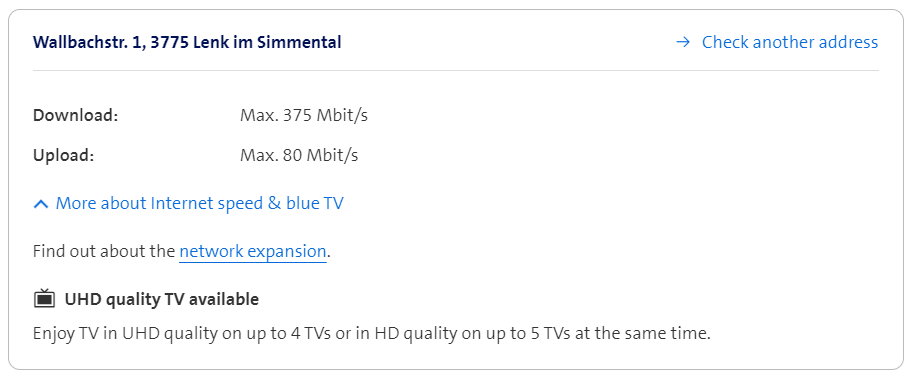
Check optical fibre expansion
Check whether fiber is available at your location and what Internet speed is measured:
If a fiber optic expansion is planned for your location, you can also see this in My Swisscom or in the network network expansion map.
Requirements for optical fibre
The new optical fibre technology (Fibre to the Home FTTH) enables you to enjoy Internet speeds of up to 10 Gbit/s. What you need for a Swisscom fiber optic connection:
- Optical fibre must be available in your area.
- You have a blue Internet or an inOne SME Business Internet L subscription.
Optical fibre expansion schedule
Unfortunately, we cannot give a specific date for when the fiber optic network will be completed at your location. Technical difficulties and objections from local authorities or homeowners can lead to delays at any time. The expansion date can only be estimated more precisely as construction progresses.
If a fiber optic expansion is planned for your location, you can also see this in My Swisscom or in the network expansion map.
FAQs
How can I measure the Internet speed?
Test the Internet speed of your connection with our speed test..
Measure Internet speed(opens in new tab)
Please follow these steps if you want to use a browser-based speed test such as cnlab Speedtest(opens in new tab).
Why am I not receiving the full 10 Gbit/s on my fiber optic connection?
Even with the best Internet subscription, you can only surf with your smartphone, tablet or computer as fast as your device and home network or WLAN allow.
The performance is only as good as the lowest performance of the end device or the cable. An older computer, for example, which is correctly connected to the Internet Box via Ethernet cable, will only transfer as much data as the computer's Ethernet connection allows, despite a 10 Gbit/s subscription. The same applies to an older Ethernet cable. You should therefore use modern accessories (CAT 6 cables, switches, WLAN-Boxes) to improve your connection.
15% of the bandwidth is reserved to ensure the quality of the transmission. This means that the maximum usable speed for all devices in the home network together (including WLAN) is 8 Gbit/s.
What is the maximum speed I can measure with an external speed test?
The maximum speed that you can measure using an external speed test:
- Internet-Box 3 and 5 (connected with Ethernet cable to the 2.5 Gbit/s port): 2.3 Gbit/s
- Internet-Box 4, 5 and 5 Pro (connected with Ethernet CAT 6a cable to the 10 Gbit/s port): 8 Gbit/s. When uploading and downloading simultaneously, the speed may be limited to 6 Gbit/s.
What is the OTO number (OTO ID) and where can I find it?
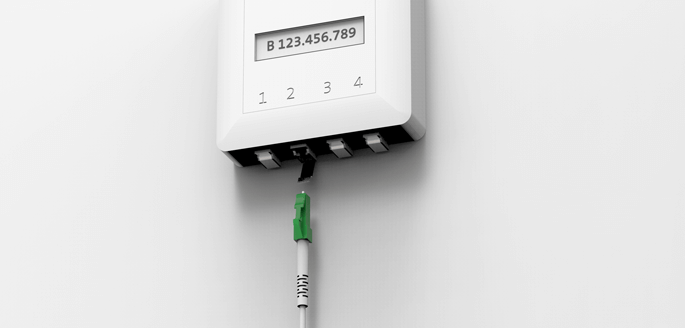
The OTO ID is the identification number of your fiber optic socket. It is unique, like a telephone number, and is printed directly on the fiber optic socket.
If your home is connected to the fibre-optic network, you will usually also have a fibre-optic socket. You will find it in the living room or hallway.
Get support
Möchten Sie etwas bestellen? Wir beraten Sie

Manage your Swisscom products and services in your personal account.
Open My Swisscom(opens a new window)
Chatbot Sam helps you instantly. If Sam can’t help, a Swisscom employee will take over.
Start ChatDidn't find what you were looking for?
Get personal help from experienced Swisscom customers.
Go to help