HD-Phone Gigaset Comfort 551HX
Device and buttons
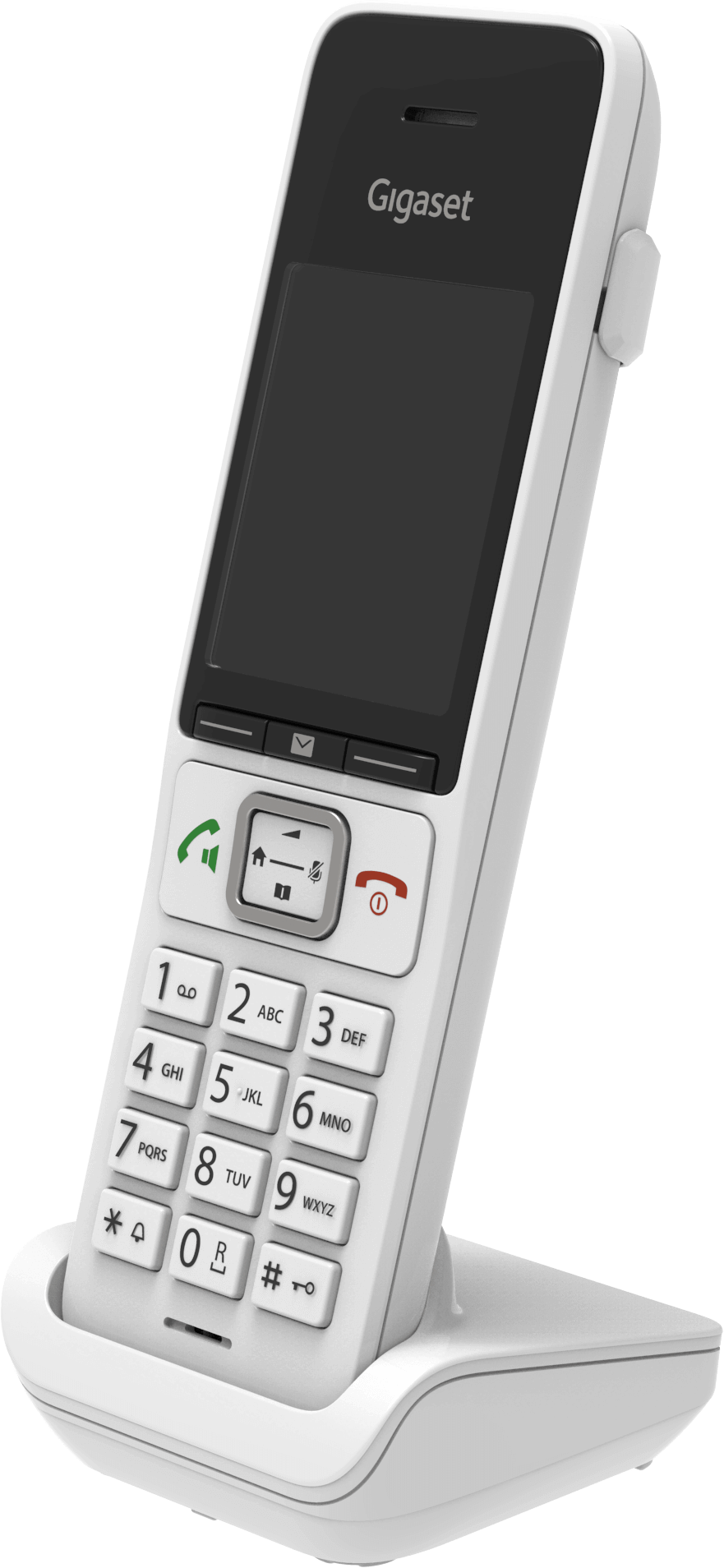
Get to know the device
Buttons and ports
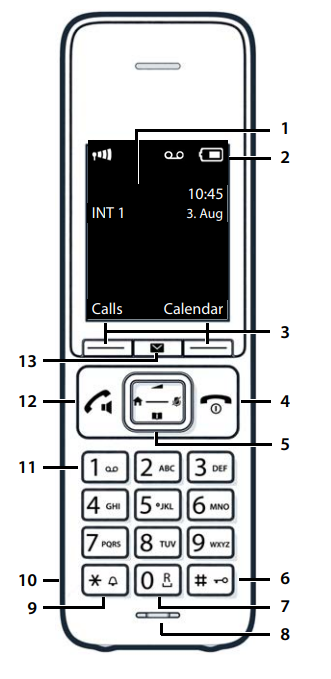
- Display
- Status bar
- Display keys
- End call key / On/off key
- Control key / Menu key
- Hash key / Lock key
- Recal key
- Microphone
- Star key
- Headset connector (3,5 mm jack)
- Key 1
- Talk key / Handsfree key
- Message key
- WLAN-Taste
- + Taste (WPS und DECT)
- Status-LED
- Anschluss USB 2.0
- Anschluss für DSL-Kabel
- Anschluss für Ethernet-Kabel
- Reset
- Ein / Aus (Power)
- Anschluss USB 3.0
- Anschluss für Netzteil
- Anschluss für Glasfaser-Modul und -Kabel
- Analoge Telefone / Faxgeräte
Frequently asked questions
How do I connect the phone to the Internet-Box?
Before you press the + key (pairing key/connection key) on the Internet-Box (base station), start the automatic DECT registration process as follows:
- On your telephone, select: Menu – Settings – Registration – Register Handset - OK
- Now press the + key on the Internet-Box
The two devices will show a successful connection on their displays.
How do I set up call forwarding?
You can configure settings directly on your handset to forward calls or reject calls you do not wish to take. Proceed as follows:
- Menu
- Network services
- Options
- Scroll down and set up service (call forwarding, reject unknown calls etc.) OK
The following Swisscom services are available:
| Forward | Divert incoming calls to another telephone number |
| Do not disturb | Divert all incoming calls to a message |
| Block anonymous calls | Divert all calls with suppressed telephone number to a message |
| Call barring | Enter the telephone number of the last call in a black list. Calls with this telephone number are no longer diverted to the handset. |
Choose your support option
Möchten Sie etwas bestellen? Wir beraten Sie

Manage your products, services and data directly in your account.
Open My Swisscom(opens a new window)
The digital assistant Sam helps you with questions about your Swisscom products.
Start ChatGet personal help from experienced Swisscom customers.
Go to help